Best Clipto Alternatives in 2026: 9 Tools Ranked
The best Clipto alternatives in 2026 are Sonix (highest accuracy at 99%), Otter.ai (best for live meeting transcription), and Descript (best for video editors and podcasters). If you need pay-per-use pricing with no subscription, go with BrassTranscripts. I'll break down all nine options below, with pricing, accuracy, and who each tool is really built for.
I'll be honest with you — I went down a rabbit hole trying every single transcription tool I could get my hands on.
Why? Because a friend asked me, "What's a good Clipto alternative?" and I didn't have a solid answer.
So I did what any obsessive researcher would do. I tested them. I compared pricing pages. I read through user reviews on G2 until my eyes hurt.
And now I'm handing you the results.
If you're searching for a better AI transcription tool, a faster audio to text converter, or just something that won't nickel-and-dime you every month — you're in the right place. If you're also curious how similar tools stack up in general, check out our full breakdown of software reviews and alternatives for more comparisons like this one.
Quick methodology note: I pulled accuracy and pricing data directly from each tool's own resource pages and independent comparison sites (Sonix, G2, BrassTranscripts, and Skywork's Clipto review), rather than relying on marketing claims alone. Where sources disagreed, I noted it.
Let's get into it.
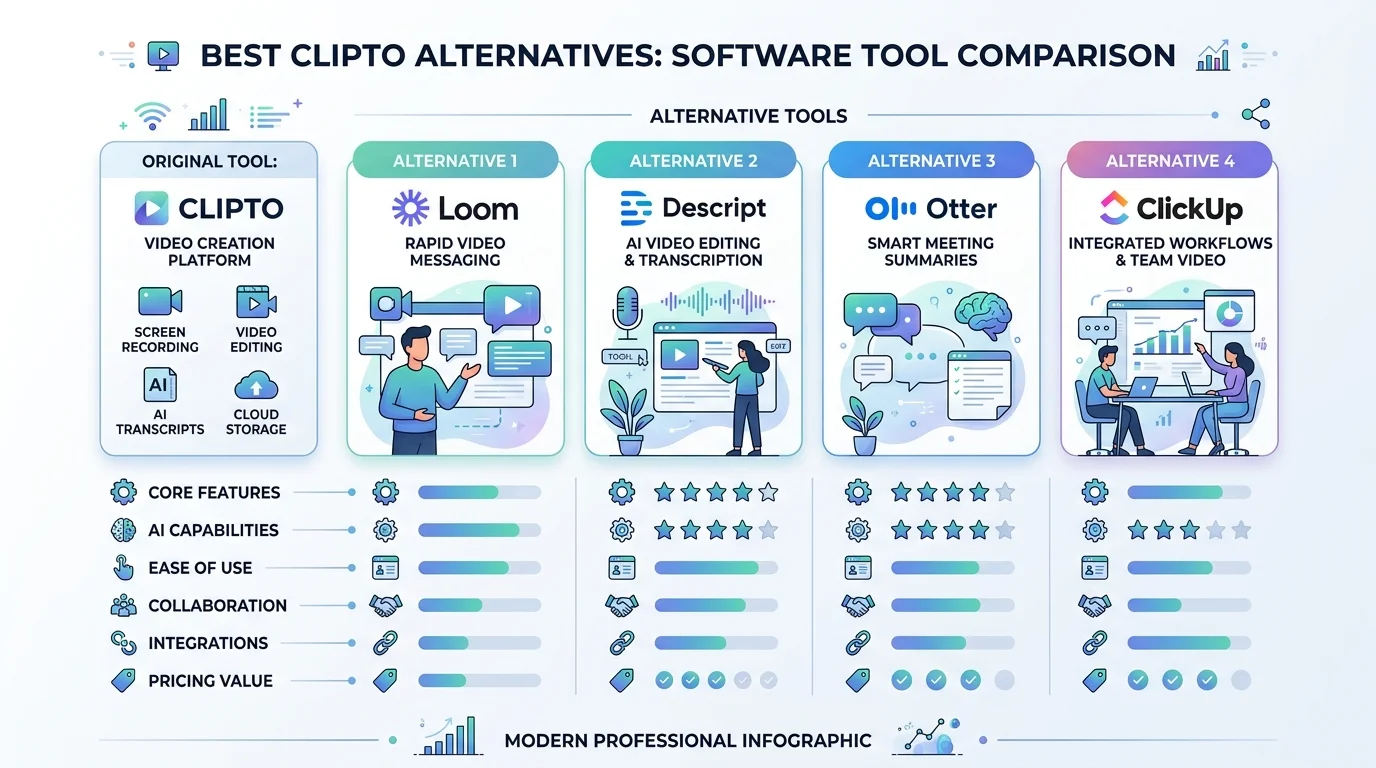
What Is Clipto, Anyway?
Clipto is an AI-powered platform that turns your audio and video into searchable text. It handles video to text conversion, speaker identification, AI-generated summaries, and offers local-first, on-device processing — meaning your files don't always need to touch the cloud.
According to Skywork's Clipto.AI review, it can process files up to 6 hours long, which is longer than most competitors allow.
Sounds solid, right? It is, for a lot of people.
But not everyone wants the same workflow. Some of you need stronger multilingual transcription. Others want a tool built specifically for meeting transcription. And some of you just want cheaper pricing without a subscription trap. That's exactly why I built this comparison.
Why You Might Be Looking for a Clipto Alternative
Maybe you're not unhappy with Clipto. Maybe you just want options. Totally fair.
But there are a few common reasons people go searching:
You need stronger transcription accuracy for legal or medical work
You want a pay-per-use tool instead of a monthly subscription
You're after better subtitle generation for YouTube or social content
You want a full AI meeting assistant, not just a transcriber
You need broader multilingual transcription support
Whatever your reason, I've got you covered below.
Clipto Alternatives at a Glance (Comparison Table)
Here's the fast version before we go deep on each one.
Tool | Best For | Accuracy | Pricing Model | Free Trial |
|---|---|---|---|---|
Otter.ai | Live meetings | ~83% | Subscription ($8.33–$16.99/mo) | Yes |
Sonix AI | Highest accuracy | ~99% | Subscription + pay-per-use | Yes |
Descript | Video editing | Moderate | Subscription (tiered) | Yes |
Trint | Journalism | ~95% | Premium subscription | Limited |
Rev.ai | Legal/medical | High (NLP-driven) | Pay-per-minute | Yes |
BrassTranscripts | No-subscription users | Professional-grade | Flat rate ($2.50–$6) | N/A (pay-per-use) |
TurboScribe | General use | Solid | Freemium | Yes |
Happy Scribe | Subtitling | Solid | Subscription | Yes |
Maestra AI | Multilingual content | Solid | Subscription | Yes |
Now let's break each one down properly.
The Best Clipto Alternatives, Ranked
1. Otter.ai — Best for Live Meetings
If you spend your life in Zoom calls, Otter.ai might be your best friend.
It's a full AI meeting assistant that integrates directly with Zoom, Google Meet, and Microsoft Teams, transcribing your meetings while they're happening. No uploading. No waiting.
According to Sonix's own comparison research, Otter's accuracy sits around 83%, which is noticeably lower than Sonix's claimed 99%. It also leans heavily English-first, so if multilingual support matters to you, keep reading. Pricing runs $8.33–$16.99/month with minute caps, which is worth factoring in if you transcribe a lot of content monthly.
2. Sonix AI — Best for Accuracy
Sonix claims a 99% transcription accuracy rate, and the third-party reviews largely back it up. It also supports over 49 languages, a big win if you're producing content for a global audience, and it comes with enterprise-grade security including data encryption and permission management.
Here's how most people use it, step by step:
Upload your audio or video file
Let Sonix's AI generate the transcript
Use the built-in editor to clean up any errors
Export subtitles, translations, or plain text
Simple. Fast. Reliable — and it's genuinely one of the strongest Clipto AI alternatives for professionals who can't afford sloppy transcripts.
3. Descript — Best for Content Creators
If you're a podcaster, YouTuber, or video editor, Descript might spoil you.
It doesn't just transcribe — it lets you edit your video by editing the text. Delete a sentence in the transcript, and it's gone from the video too. It also includes voice cloning and studio-quality audio cleanup.
The tradeoff, per Sonix's Descript alternatives breakdown: accuracy isn't quite Sonix-level, and pricing climbs fast once you need premium features.
4. Trint — Best for Journalists
If you work in newsrooms or media, Trint was practically built for you. It hits around 95% accuracy and comes with collaborative editing and verification tools built for deadline pressure. It's on the pricier side, but for journalism-grade work, that's often a fair trade.
5. Rev.ai — Best for Legal & Medical Fields
When precision truly matters — like in courtrooms or clinical settings — Rev.ai is a name that keeps coming up. It leans on advanced natural language processing to handle complex terminology, and professionals in high-stakes fields trust it for that reason.
6. BrassTranscripts — Best for Pay-Per-Use Pricing
Not everyone wants a monthly subscription. BrassTranscripts charges flat rates between $2.50–$6 per file, with no minute caps and no wasted subscription during slow months. If your transcription needs are unpredictable, this is one of the smartest cost-conscious alternatives out there.
7–9. TurboScribe, Happy Scribe & Maestra AI — Solid Runner-Ups
These three consistently show up in transcription tool comparison roundups from Toolify's Clipto alternatives list. Each covers the essentials — speaker diarization, translation, and export flexibility — making them dependable backups if the tools above don't quite fit your workflow. If you enjoy this kind of head-to-head breakdown, you might also like our ytcliptune vs Y2mate comparison for a similar side-by-side on video tools.
How to Choose the Right One for You
Ask yourself:
Do I need real-time captions during live calls? → Otter.ai
Do I need the highest possible transcription accuracy? → Sonix
Am I editing video content regularly? → Descript
Do I want to pay only when I use it? → BrassTranscripts
Most of these tools offer free trials, so don't just take my word for it — test one this week and see how it feels in your actual workflow.
Frequently Asked Questions
Is Clipto free to use?
Clipto offers a 7-day premium trial, after which it moves to a paid subscription. Check its official pricing page for current rates.
What's the most accurate Clipto alternative?
Based on published accuracy comparisons, Sonix leads at roughly 99% accuracy, ahead of Otter.ai's ~83%.
What's the cheapest way to transcribe without a subscription?
BrassTranscripts offers flat, pay-per-use pricing between $2.50–$6 per file with no recurring fees.
Which tool is best for meetings specifically?
Otter.ai remains the strongest pick for live meeting transcription thanks to its native Zoom, Google Meet, and Teams integrations.
Which tool works best for video editors?
Descript is purpose-built for this — it lets you edit video content by editing the transcript text directly.
Final Thoughts: Should You Switch?
Clipto is a solid tool, especially if privacy and on-device AI processing matter to you. But the best Clipto alternative really depends on what you're optimizing for — accuracy, price, or specific use case.
If I had to recommend one to a total beginner, I'd say start with Sonix for accuracy or Otter.ai if meetings are your main use case.
Either way, don't just sit on the fence. Pick a tool from the table above, run a free trial today, and see the difference for yourself. Your future self — the one who isn't manually transcribing a 90-minute podcast at midnight — will thank you.