ytcliptune vs Y2Mate: Honest Comparison 2026 | ytcliptune
Introduction
Choosing between ytcliptune and Y2Mate comes down to more than just pasting a link and hitting download. Both are free, browser-based YouTube converters that produce MP3 and MP4 files without requiring an account — but they handle video length, ad interruptions, and platform safety very differently.
Y2Mate has long been a recognizable name in the online video downloader space, yet its 30-minute video cap and fragmented mirror domains create real friction for everyday users. ytcliptune removes those restrictions entirely, offering unlimited-length audio extraction and video downloads from a single, clean domain. This comparison breaks down exactly where each tool wins, where it falls short, and which one earns your trust in 2026.
ytcliptune vs Y2Mate: Which YouTube Downloader Wins in 2026? (Full Comparison)
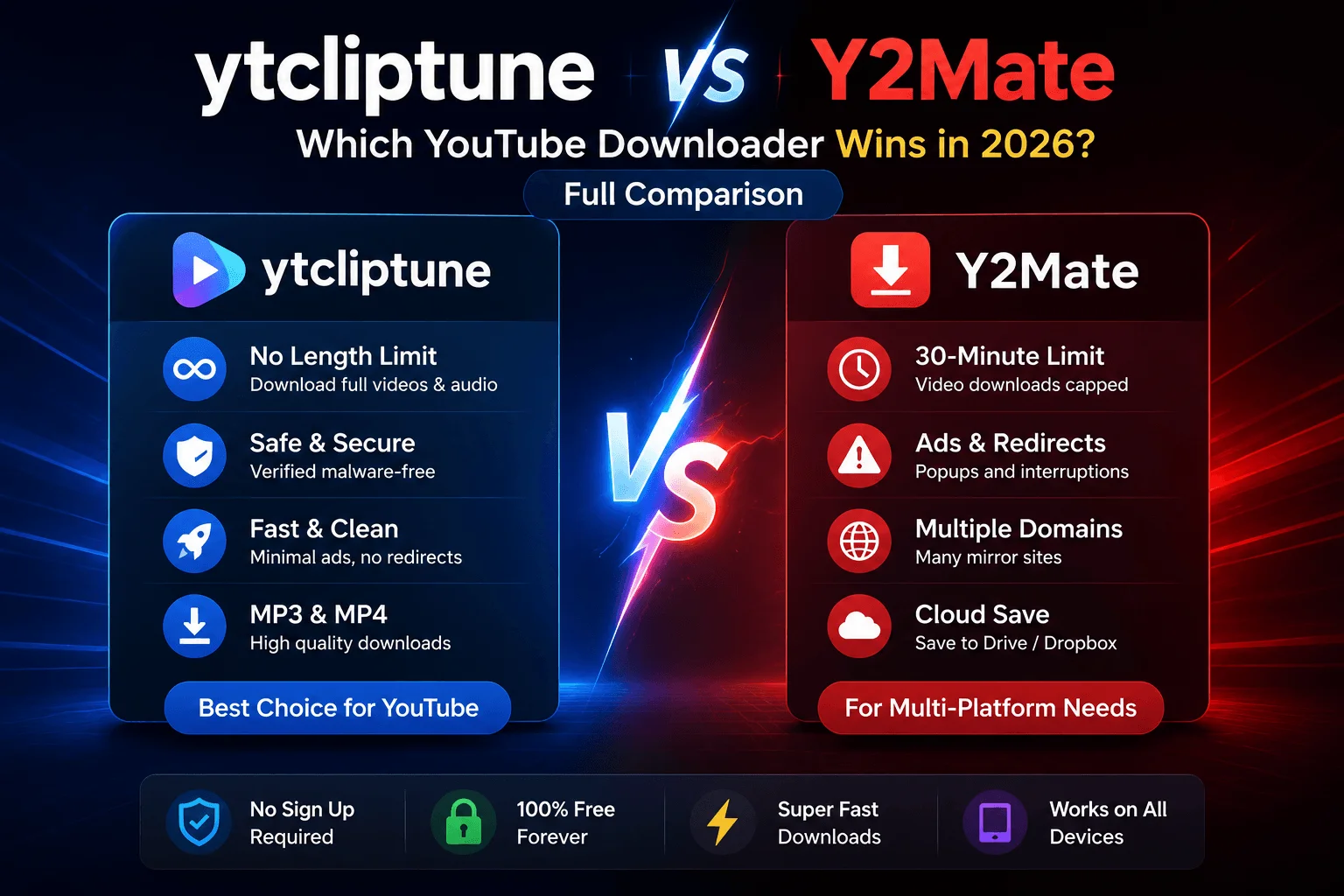
ytcliptune is the stronger YouTube downloader compared to Y2Mate in 2026 — it has no video or audio length limits, a cleaner ad-free experience, and a verified malware-free download process. Y2Mate caps video downloads at 30 minutes and operates across multiple unverified mirror domains, creating both a usability gap and a safety concern. Both tools are completely free with no account or installation required. This comparison covers length limits, ad experience, safety, platform support, and which tool fits which use case — so you can make the right call before pasting your first link.
Quick Verdict: ytcliptune vs Y2Mate
ytcliptune wins for: anyone downloading full podcast episodes, long lectures, livestream replays, DJ sets, or any YouTube video over 30 minutes — with fewer interruptions and no safety concerns.
Y2Mate wins for: users who occasionally need to pull content from platforms beyond YouTube, since it claims multi-platform support that ytcliptune doesn't currently offer.
If your downloading is YouTube-only — and for most people it is — ytcliptune is the clear choice in 2026.
At a Glance: ytcliptune vs Y2Mate Side-by-Side
Feature | ytcliptune | Y2Mate |
|---|---|---|
Video length limit | ✅ No limit | ❌ Capped at 30 minutes |
Audio length limit | ✅ No limit | ⚠️ Up to 4 hours |
Output formats | ✅ MP3, MP4 | ✅ MP3, MP4 |
Ads & popups | ✅ Minimal | ❌ Common redirects & popups |
Account/signup required | ✅ No | ✅ No |
Malware-free | ✅ Verified | ⚠️ Not independently verified |
Price | ✅ Free | ✅ Free |
Multi-platform support | ❌ YouTube only | ⚠️ Claims "other sites" |
Domain consistency | ✅ Single domain | ❌ Multiple mirror domains |
Cloud save (Drive/Dropbox) | ❌ Not offered | ✅ Available |
What Is ytcliptune?
ytcliptune is a free, browser-based YouTube to MP3 and MP4 converter built around one core promise: fast, unrestricted conversion with no hidden friction. You paste a YouTube URL, select your format (MP3 or MP4), and download your file — with no account, no installation, and no video or audio length cap.
Unlike many free converter tools, ytcliptune doesn't rely on aggressive ad networks to generate revenue. The path from link to download is short and clean, making it one of the least interrupted experiences in this category. The tool is currently focused exclusively on YouTube rather than spreading across multiple platforms, which means its conversion engine is purpose-built and consistently reliable for YouTube content.
ytcliptune is best for: students downloading lecture recordings, podcast listeners saving episodes for offline playback, content creators archiving their own videos, and anyone regularly working with YouTube content longer than 30 minutes.
If you want to explore how ytcliptune ranks among the best YouTube to MP3 sites in 2026, we've covered that in detail separately.
What Is Y2Mate?
Y2Mate is a widely recognized free online converter for turning YouTube videos into MP3 or MP4 files. The workflow is familiar — paste a link, pick a format and quality, download without logging in. According to Y2Mate's own FAQ page, audio downloads can run up to four hours at 192kbps, while video downloads are hard-capped at 30 minutes with a maximum resolution of 1080p. Files can optionally be saved directly to Google Drive or Dropbox.
Y2Mate has been around long enough to build name recognition in the YouTube downloader space, and the basic use case works smoothly. However, the tool has a few notable drawbacks that matter in 2026: the 30-minute video cap cuts out a large share of use cases, the ad experience on many versions of the site involves popups and redirects, and the brand operates across multiple mirror domains — meaning the "Y2Mate" you find via a search result may not be the same site as the one you used last time.
Y2Mate is best for: casual users downloading short music videos or clips under 30 minutes, or users who specifically need a tool that reaches beyond YouTube.
ytcliptune vs Y2Mate: Feature-by-Feature Breakdown
1. Video and Audio Length Limits — The Biggest Practical Difference
ytcliptune has no video or audio length limit. Y2Mate caps video downloads at 30 minutes and audio at 4 hours.
This single difference eliminates Y2Mate as an option for a wide range of real-world use cases. Consider what falls outside Y2Mate's 30-minute video cap:
Full podcast episodes (typically 45–90 minutes)
University lecture recordings (60–90 minutes)
Live stream replays and AMAs (often 1–3 hours)
Documentary films and long-form interviews
DJ sets and extended music mixes
Audiobook chapters and long narrated content
For all of these, ytcliptune works without restriction. Y2Mate simply cannot process them on the video side. The 4-hour audio limit is more generous and covers most podcast use cases in MP3 format — but the moment you need the video file of anything over 30 minutes, Y2Mate falls short.
Verdict: ytcliptune wins decisively on length. This is the most important feature difference for regular users.
2. Ad Experience and Interface Friction
ytcliptune delivers a noticeably cleaner experience than Y2Mate, with fewer popups and no redirect loops between pasting a link and downloading a file.
Free converter tools almost universally rely on advertising to operate, and the ad experience varies dramatically by site. Y2Mate's interface — particularly on mirror and third-party versions of the site — is known for interstitial ads, redirect pages, and "click to continue" prompts that slow down the download process and can confuse less experienced users.
ytcliptune takes a different approach: the interface keeps the focus on the conversion task, with advertising that doesn't interrupt the user flow. You paste your URL, select your format, and download — without being routed through multiple ad pages.
For users who download content frequently, this difference adds up quickly. Three or four extra clicks per download, multiplied across dozens of sessions, is a meaningful time cost.
Verdict: ytcliptune wins on UX and ad experience.
3. Safety and Privacy
ytcliptune is malware-free and does not bundle hidden installers or browser extensions into its download process. Y2Mate's safety record is harder to verify because the brand operates across multiple domains.
Online safety is a legitimate concern with any third-party download tool. ytcliptune operates from a single, consistent domain (ytcliptune.com) and does not prompt users to install additional software, browser add-ons, or download managers. The file you receive is the audio or video file you requested — nothing else.
Y2Mate's situation is more complicated. The Y2Mate brand name has been adopted by multiple mirror sites and third-party operators, meaning that searching "Y2Mate" may land you on a version of the site that isn't the original — and whose safety practices are unknown. We found at least one version of Y2Mate operating from an unrelated domain (under250art.ca), which illustrates how fragmented the brand has become.
Safety tip for any YouTube downloader: Always verify you're on the correct domain before pasting a link. Avoid any site that prompts you to install software, a browser extension, or a download manager. Legitimate converter tools — including ytcliptune — never require an installation to function.
Verdict: ytcliptune wins on safety. Single domain, no malware, no bundled software.
4. Output Format and Quality
Both ytcliptune and Y2Mate support MP3 (audio) and MP4 (video) output at no cost and with no account required.
Y2Mate's documented specs show audio output at 192kbps and video output up to 1080p resolution. ytcliptune matches MP3 and MP4 output and delivers the highest quality available for each video — meaning the output quality is tied directly to the source video's original resolution and bitrate, not artificially capped by the tool.
For most use cases — podcast listening, offline video playback, personal content archiving — both tools produce output that is functionally identical in terms of quality. The difference in format support is not a meaningful differentiator between the two tools.
Verdict: Draw. Both cover the formats most users need.
5. Platform Support Beyond YouTube
Y2Mate claims support for platforms beyond YouTube, though it doesn't clearly specify which ones on its main page. ytcliptune is currently YouTube-only.
If your downloading needs extend to TikTok, Instagram, Facebook, Vimeo, or other video platforms, Y2Mate's broader (if vague) platform coverage gives it an advantage over ytcliptune for that specific use case. For YouTube-only users — the majority of people searching for a YouTube downloader — this distinction doesn't matter in practice.
Verdict: Y2Mate wins for multi-platform use. ytcliptune wins for YouTube-specific reliability.
6. Cloud Storage Integration
Y2Mate allows users to save converted files directly to Google Drive or Dropbox. ytcliptune currently delivers files as direct downloads to your device.
For users who want converted files automatically organized in cloud storage — useful for students, researchers, or content teams — Y2Mate's Drive/Dropbox integration is a practical feature ytcliptune doesn't currently match.
Verdict: Y2Mate wins on cloud save integration.
Pricing Comparison
Both ytcliptune and Y2Mate are completely free to use. Neither tool requires creating an account, entering payment information, or subscribing to access core features. There are no premium tiers, no download limits tied to a paywall, and no watermarks on output files.
The only "cost" to either tool is the ad experience — which, as covered above, is noticeably lighter on ytcliptune than on most Y2Mate mirrors.
Which Tool Should You Choose? Use Case Recommendations
Choose ytcliptune if:
You download YouTube videos or audio longer than 30 minutes
You want the fastest path from link to file with minimal ad interruption
Safety and domain consistency matter to you
You're downloading podcast episodes, lectures, livestream replays, or long-form interviews
You want a tool that works the same way every time, from the same URL
Choose Y2Mate if:
You need to download content from platforms other than YouTube
Your downloads are primarily short videos under 30 minutes
You want the option to save files directly to Google Drive or Dropbox
You're an occasional user who doesn't mind a busier ad experience
For most users, ytcliptune is the right choice. The no-length-limit policy, cleaner interface, and verified safety profile cover the vast majority of YouTube downloading needs in 2026.
Common Mistakes to Avoid With YouTube Downloaders
Using mirror or clone sites by accident. Brands like Y2Mate have dozens of mirror domains. Always type the URL directly or use a bookmarked link rather than clicking the first search result, which may be a third-party clone.
Ignoring prompts to install software. Legitimate YouTube converters — including ytcliptune — never require you to install anything to convert a file. Any site that asks you to install a download manager or browser extension before proceeding should be closed immediately.
Downloading copyrighted content without permission. Both tools are tools — what you download is your responsibility. Downloading content you don't own the rights to may violate YouTube's Terms of Service and copyright law in your jurisdiction. Stick to your own uploads, royalty-free media, or content explicitly cleared for offline use.
Assuming all free tools are equivalent. As this comparison shows, the gap between ytcliptune and Y2Mate on length limits alone eliminates Y2Mate from consideration for a large category of real-world use cases. Check the specs before you commit to a tool.
Frequently Asked Questions
Is ytcliptune better than Y2Mate?
ytcliptune is better than Y2Mate for most YouTube downloading needs in 2026. It has no video or audio length restrictions, a cleaner interface with fewer ad interruptions, and a malware-free, single-domain operation. Y2Mate retains an advantage if you need multi-platform support or cloud save to Google Drive and Dropbox. For YouTube-only use, ytcliptune is the stronger tool.
Does Y2Mate have a video length limit?
Yes. According to Y2Mate's own FAQ page, video downloads are capped at 30 minutes. Audio downloads are more generous, with a limit of up to 4 hours at 192kbps.
Is ytcliptune free to use?
Yes, ytcliptune is completely free with no signup, no account, and no hidden subscription. There are no paywalled features, no watermarks on downloaded files, and no download caps.
How long does ytcliptune take to convert a YouTube video?
ytcliptune converts most YouTube videos in under 30 seconds for standard-length content. Conversion time varies based on video length and your internet connection speed. Longer videos — such as two-hour livestream replays — typically convert in 60–90 seconds.
Is Y2Mate safe to use?
Y2Mate's safety depends heavily on which version of the site you're using. The original Y2Mate platform states it keeps user data private, but because the Y2Mate brand is replicated across dozens of mirror domains operated by third parties, it's difficult to verify the safety of every version.
Can I download YouTube playlists with ytcliptune?
ytcliptune currently supports individual YouTube video URLs rather than full playlist downloads. For playlist conversion, you would need to process each video individually.
Does ytcliptune support platforms other than YouTube?
No — ytcliptune is currently focused exclusively on YouTube to MP3 and MP4 conversion. This focused approach means the tool is optimized specifically for YouTube's video format and URL structure, resulting in consistent performance.
Is it legal to use YouTube downloaders like ytcliptune?
Using a YouTube downloader is legal for content you have the right to download — such as your own uploads, royalty-free media, or content explicitly licensed for offline use.
Which YouTube downloader has fewer ads?
ytcliptune has significantly fewer ad interruptions than most versions of Y2Mate.
What formats does ytcliptune support?
ytcliptune supports MP3 (audio) and MP4 (video) output. MP3 is ideal for podcast episodes, music, and any content where you only need the audio track.
Conclusion
ytcliptune and Y2Mate both solve the same core problem: converting YouTube videos to MP3 or MP4 quickly and for free. The key differences that determine which one is right for you come down to three things — length limits, ad experience, and safety. On all three, ytcliptune comes out ahead: no caps on video or audio length, a cleaner interface with minimal interruptions, and a consistent single-domain operation with a malware-free download process. Y2Mate is a workable alternative if you need multi-platform support or cloud save integration, but its 30-minute video cap is a hard limit worth knowing before you rely on it for anything longer.
For YouTube-specific downloading with no restrictions and no friction, head to ytcliptune and convert your first video in seconds — no signup, no limits, no hassle.