How to Download YouTube Shorts (Legally) — 2026 Guide
Quick answer: You can download your own YouTube Shorts for free through YouTube Studio or the YouTube app — no third-party tools needed. For other creators' Shorts, YouTube Premium offers in-app offline viewing, while yt-dlp is the safest free tool for saving a public Short for personal use. Reposting someone else's Short without permission, though, risks a copyright strike — so know which lane you're in before you start.
You've found a YouTube Short you want to keep. Maybe it's yours. Maybe it's a client's. Maybe it's just too good to lose in the algorithm's endless scroll. Either way, you're here because you want to download YouTube Shorts without the headache — no shady pop-ups, no watermark surprises, no accidental copyright mess. I've spent the last few days deep in this topic, testing methods, reading YouTube's actual Terms of Service, and comparing every legitimate option out there. Let's get into it.
What Downloading YouTube Shorts Actually Means (And Why It's Trickier Than You'd Think)
Here's the thing nobody tells you upfront: not all "downloads" are created equal. Some methods save a file straight to your camera roll. Others just let you watch offline inside the app — which, frankly, isn't the same thing at all.
YouTube Shorts are the platform's short-form vertical videos, YouTube's answer to TikTok and Instagram Reels. And because they're wildly popular, the demand to save them for offline viewing, content repurposing, or research has exploded right alongside them.
So before you touch a single tool, you need to know which bucket your situation falls into. It matters more than you'd expect.
The Three Buckets You Need to Understand
Let me break this down simply, because this is where most guides get lazy:
Your own Shorts — you have full, official access to download these.
Someone else's Shorts, for personal use — this is the gray area.
Someone else's Shorts, to repost or reuse — this is where copyright strikes live, and you really don't want to go there.
I'll walk you through each one, then give you a full comparison table so you can decide in seconds.
Method Comparison: Which Download Option Is Right for You?
Before we go step-by-step, here's the full picture at a glance. I built this table specifically so you don't have to read the whole article just to make a decision.
Method | Cost | Watermark | Max Quality | Legal Status | Best For |
|---|---|---|---|---|---|
YouTube Studio / App | Free | None (own content) | Original upload quality | Fully official | Your own Shorts |
YouTube Premium | Paid subscription | N/A (in-app only) | Original | Official, personal offline viewing | Watching offline, not repurposing |
yt-dlp | Free | None | Up to original/4K if source allows | Gray area under YouTube's ToS; low enforcement risk for personal use | Power users, personal archiving |
Browser extensions/online tools | Free (often ad-supported) | Varies by tool | Usually capped at 1080p | Gray area; some carry malware risk | Occasional, casual saves |
Reposting someone else's Short | N/A | N/A | N/A | High risk — can trigger a copyright strike | Never, without written permission |
If you're comparing tools beyond what's covered here, our breakdown of the best YouTube video downloader options is worth a look too.
How to Download Your Own YouTube Shorts (The Easy, 100% Legit Way)
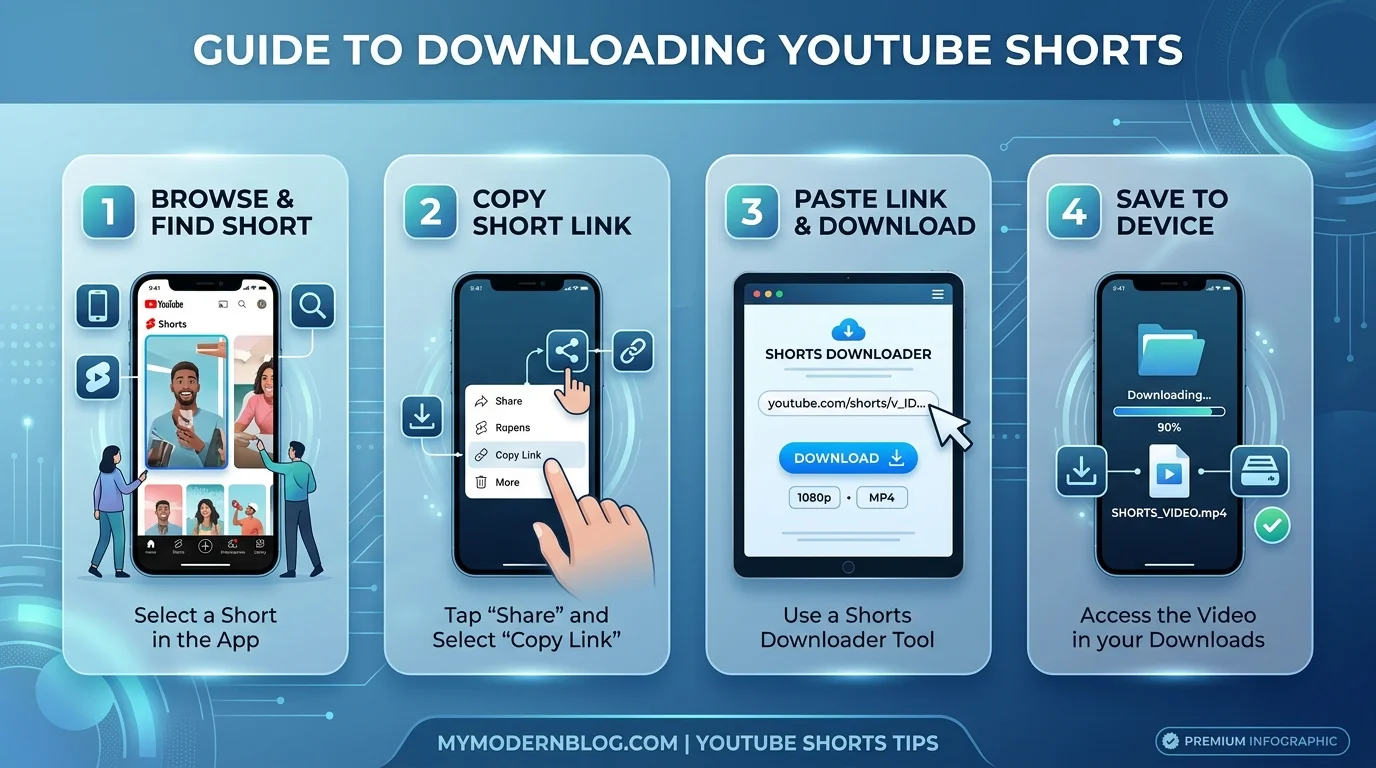
If the Short is yours, congratulations — this is the simplest path, and there's zero legal gray area here. YouTube gives creators a direct, built-in way to grab their own content, no third-party tools required.
Here's the step-by-step:
On desktop (via YouTube Studio):
Go to YouTube Studio
Click Content, then switch to the Shorts tab
Hover over the Short you want, click the three-dot menu
Select Download
On mobile (iPhone or Android):
Open the YouTube app
Tap your profile picture
Go to Your Videos → Shorts
Tap the three dots next to the video, then Save to device
That's it. Genuinely. According to YouTube's own help documentation, this works for anything you've uploaded, though I'll be honest — some downloads do carry a small watermark with your channel name depending on the method, so don't be alarmed if you see one.
If you'd rather end up with a standard, editor-friendly file, check out our guide on converting YouTube Shorts to MP4 for the format options worth knowing about.
Want the Audio Only? Here's the Quick Way
If you just need the sound — a voiceover, a trending audio clip you made, or background music from your own Short — you don't need a separate app. Download the video first using the steps above, then run it through an audio extractor or use yt-dlp's built-in conversion flag:
yt-dlp -x --audio-format mp3 "https://youtube.com/shorts/VIDEO_ID"This pulls just the audio track and saves it as an MP3 — handy for podcast clips or repurposing a soundbite elsewhere. For a simpler, no-command-line option, our guide on extracting audio from Shorts walks through it step by step.
What About YouTube Premium? (Offline Viewing vs. Actual Downloading)
Now, you might be thinking: "Can't I just use YouTube Premium for this?" Sort of — but I want to be straight with you here, because a lot of articles blur this line on purpose.
Premium's offline feature saves an encrypted copy that only plays inside the YouTube app. You can't export it, share it, or drop it into a video editor. It's built for watching offline, not for repurposing content. And honestly? Offline Shorts support through Premium is inconsistent across regions — it's really designed with regular long-form videos in mind.
So if your goal is offline binge-watching on a flight, Premium works beautifully. If your goal is editing, archiving, or reposting — you'll need something else.
Downloading Someone Else's Shorts: Where Things Get Real
Here's where I need you to actually pay attention, because this is the part most "quick tip" blog posts gloss right over.
YouTube doesn't give you a public download button for other people's content. Full stop. In fact, YouTube's Terms of Service are pretty explicit that you're not supposed to download content unless YouTube itself shows you a download link for it.
That said — and I say this with a clear head, not to encourage rule-breaking — enforcement in the real world tends to focus on commercial piracy and mass redistribution, not someone quietly saving a clip for personal reference. Still, "technically against the rules" and "totally fine" aren't the same thing, so proceed thoughtfully.
The Tool I'd Actually Recommend: yt-dlp
If you need to download a public Short for personal, non-commercial use, yt-dlp is, hands-down, the tool worth your time. It's:
Free and open-source
Actively maintained with near-daily updates
Capable of pulling the original video quality with no added watermark
Usable across Windows, Mac, and Linux
Here's a basic command to get you started, straight from the official yt-dlp cheat sheet:
yt-dlp "https://youtube.com/shorts/VIDEO_ID"Want a specific resolution? Try this:
yt-dlp -f "bestvideo[height<=1080]+bestaudio" "https://youtube.com/shorts/VIDEO_ID"Yes, it's command-line — no flashy interface. But that's exactly why it's trustworthy. No ads, no bloated installer, no mystery pop-ups pushing "extra software" onto your device.
On iPhone? Here's Your Workaround
iOS is more locked-down than Android for this kind of thing, so if you're on an iPhone and don't want to touch a computer, the Shortcuts app is your friend. Apple's built-in Shortcuts app can run a community-shared "Download YouTube Video" workflow — search the Shortcuts Gallery or Reddit for one, add it, and run it directly from the share sheet. It's free and doesn't require installing anything outside what's already on your phone.
If you'd rather avoid the terminal or Shortcuts entirely, browser-based downloaders and extensions exist too, but tread carefully — many are ad-heavy, and some genuinely try to sneak malware onto your machine through fake download buttons. I'm not exaggerating; this is a documented, recurring complaint across user reports.
The Copyright Question You Cannot Skip
Okay, deep breath — let's talk about copyright strikes, because this is the single most important section in this whole guide.
If you download someone else's Short and just watch it privately? Low-stakes. If you repost it as your own, without permission? That's a real problem.
YouTube's copyright strike system works like this: rack up three strikes within 90 days, and your entire channel — gone. Terminated. Each individual strike also expires after 90 days if it's your only one, but three at once means no appeals marathon is going to save you.
There is a legal concept called fair use — covering commentary, criticism, education, and parody — that might protect certain reuses. But fair use is decided case-by-case in court, not something you can assume applies just because you added a voiceover. As Stanford's Center for Internet and Society has documented, creators have been burned by this exact assumption more than once — including cases where reviewers used clips they believed were protected commentary, only to have YouTube side with the rights holder anyway.
So here's my honest, no-nonsense advice: if you plan to reuse a clip publicly, get permission first, or stick to content that's Creative Commons licensed or public domain. It's genuinely not worth the risk otherwise.
Frequently Asked Questions
Is it legal to download YouTube Shorts?
Downloading your own Shorts is fully legal and officially supported. Downloading someone else's Short for strictly personal use sits in a legal gray area — technically against YouTube's Terms of Service, but rarely enforced against individuals. Reposting someone else's Short without permission is where real legal risk begins.
Can I download YouTube Shorts without a watermark?
Yes. Downloading your own content through YouTube Studio or the app typically gives you the original file. Tools like yt-dlp also pull the original video without adding any watermark.
Does YouTube Premium let you download Shorts?
Premium allows offline viewing within the YouTube app, but this is encrypted playback, not an exportable download — and Shorts support through Premium can be inconsistent depending on your region.
What happens if I get a copyright strike?
A single strike requires you to complete a copyright education step and expires after 90 days. Three strikes within that 90-day window results in your channel being terminated, with no guarantee of reinstatement.
What's the best free tool to download YouTube Shorts?
For personal use, yt-dlp is the most reliable free option — it's open-source, actively maintained, and doesn't rely on ad-heavy websites that risk pushing malware.
Quick Decision Guide: What Should You Actually Do?
Let me simplify everything above into one clean decision path:
It's your own Short → Use YouTube Studio or the app. Done in 30 seconds.
You just want offline viewing → YouTube Premium, no third-party tools needed.
You need someone else's Short for personal reference → yt-dlp is your safest, cleanest bet.
You want to repost or reuse it → Stop. Get written permission, or don't do it.
Final Thoughts
Downloading YouTube Shorts isn't complicated once you know which lane you're in. Your own content? Instant and official. Personal offline viewing? Premium's got you. Someone else's public clip for private use? yt-dlp, used responsibly. Reposting? That's the one path where I'd genuinely urge caution — a copyright strike isn't worth whatever views you're chasing.
Stick to the legitimate paths, respect creators' rights, and you'll never have to worry about losing a channel over a shortcut that wasn't worth taking.
Read More: YouTube Copyright Download: What's Legal in 2026?