YouTube Podcast Downloader: The Safe, Legal Guide
A YouTube podcast downloader is a tool that saves podcast episodes from YouTube as MP3 or MP4 files for offline listening. The safest, fully legal option is YouTube Premium's built-in offline download feature. Third-party converters work too, but they carry real Terms of Service and copyright risk — I'll break down exactly how much risk, and what to do instead, below.
Let's be honest for a second.
You've probably tried three or four "free downloader" tools already, and most of them either buried you in pop-up ads or just... didn't work.
I get it. I've been there too.
So today, I'm going to walk you through everything you need to know about a YouTube podcast downloader — what it is, how to use one safely, and (this part matters) what you need to know legally before you hit that download button.
Grab a coffee. This one's detailed.
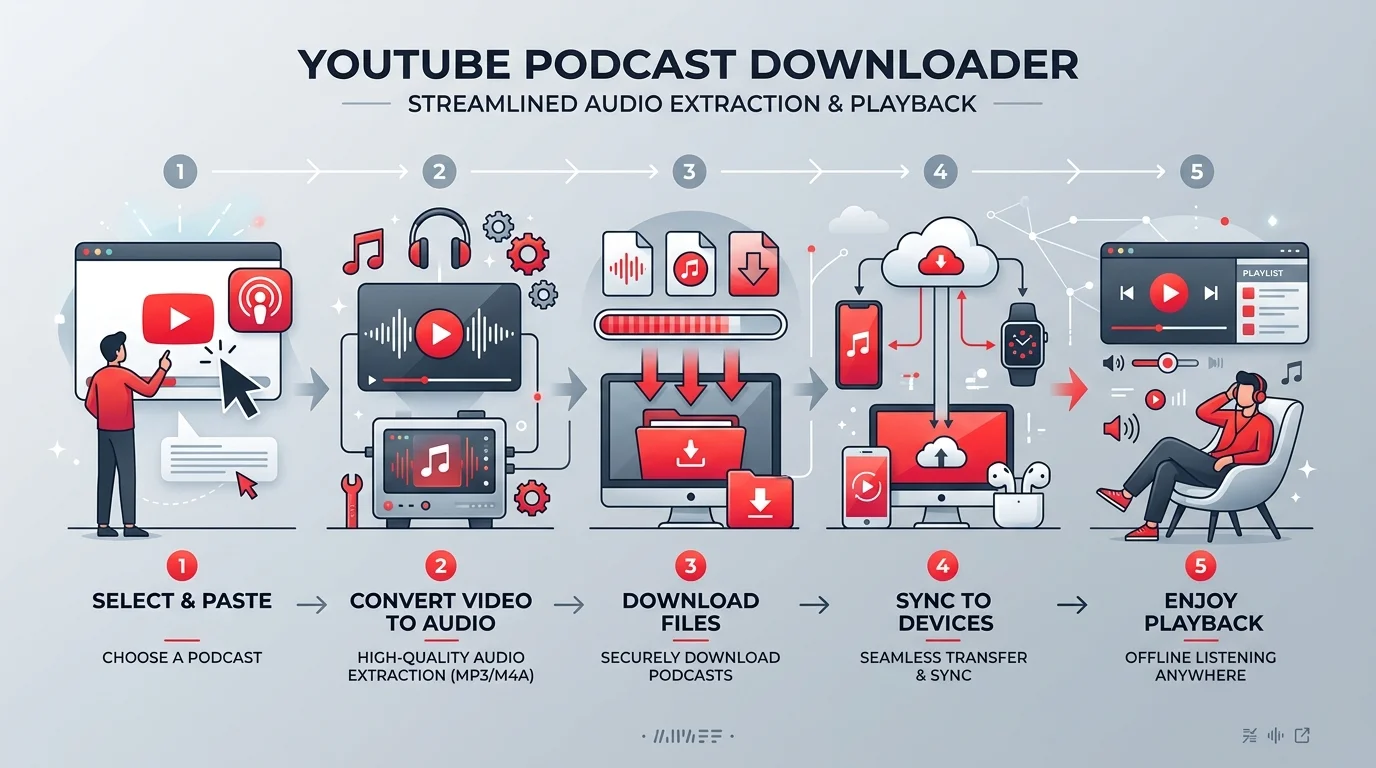
What Is a YouTube Podcast Downloader, Exactly?
Here's the thing — most people search for this term without really knowing what they're asking for.
A YouTube podcast downloader is simply a tool (web-based, desktop, or command-line) that lets you save a podcast episode published on YouTube as an MP3 file or MP4 video for offline playback.
Sounds simple, right?
It kind of is. But there's more nuance here than the average "top 10 tools" listicle wants to admit.
You see, YouTube has become one of the biggest podcast hosts on the planet — recent industry surveys show that more than 1 in 4 monthly podcast listeners in the U.S. now use YouTube as their primary podcast platform, ahead of dedicated audio apps for many age groups. Shows like The Joe Rogan Experience publish full video episodes there. And naturally, listeners want to download podcast from YouTube so they can listen during a flight, a gym session, or a subway ride with no signal.
That's where these tools come in.
Why People Actually Want This (It's Not What You Think)
I'll be real with you — it's rarely about piracy.
Most people just want:
Offline podcast listening on a plane, subway, or rural drive
A smaller, lighter audio-only podcast file instead of a bulky video
The ability to use a podcast audio extractor and listen at 1.5x or 2x speed in their favorite app
A way to archive shows they love before they get taken down
And honestly? Those are completely reasonable things to want.
Quick Reality Check: Is This Even Legal?
I promised you I'd be straight with you, so here goes.
Technically, YouTube's own Terms of Service are pretty clear on this. According to legal breakdowns of the policy, YouTube prohibits accessing content through any technology or means other than the video playback pages of the Service itself, the embeddable player, or other explicitly authorized means YouTube may designate.
In plain English? Using a third-party YouTube video downloader technically breaks the rules.
Now, here's the nuance that most blog posts skip over.
Legal experts at LegalClarity note that downloading YouTube videos without permission from the copyright holder is illegal in most situations under federal copyright law, and it also violates YouTube's Terms of Service regardless of the content.
That said — and this is important — most sources agree the practical risk for personal, casual use is low. As one 2026 legal guide puts it, YouTube's enforcement historically focuses on tools and services, not individual viewers, and using the website itself is not a criminal act.
If you want the full breakdown of what's actually enforceable versus what's just a gray area, I go much deeper into the copyright side of things in my guide on YouTube copyright and downloading — worth a read before you download anything.
So what should you actually do?
Comparing Your Options: Which Method Is Actually Best?
Before we get into the step-by-step, here's the side-by-side breakdown I wish someone had given me when I started researching this.
Method | Legality | Cost | Audio Quality | Ease of Use |
|---|---|---|---|---|
YouTube Premium offline download | Fully legal, sanctioned by YouTube | ~$13.99/month | High (DRM-protected) | Very easy — one tap in-app |
Podcast RSS feed via a podcast app | Fully legal (creator-published) | Free | High (native audio) | Easy — subscribe once |
Creative Commons YouTube videos | Legal (creator-permitted) | Free | Depends on source | Moderate — requires filtering |
yt-dlp (open-source) | Legal gray area / ToS violation | Free | High, customizable | Moderate — command-line |
Third-party MP3 converter sites | Legal gray area / ToS violation | Free–paid | Variable, sometimes low | Easy, but risk of ads/malware |
If you're scanning this table for the TL;DR: start at the top, work your way down only if you need to.
Step-by-Step: The Safe Way to Download Podcasts
If you want to stay 100% on the safe side (and honestly, I'd recommend this route first), here's your step-by-step guide.
Step 1: Check for a YouTube Premium Subscription
This is the golden ticket.
YouTube Premium's offline download feature is explicitly built-in and fully legal — you just tap "download" inside the app, and the episode is saved for offline playback.
Yes, the files are DRM-protected. Yes, you can only watch them in the YouTube app.
But you know what? You get zero legal risk, zero malware risk, and zero guilt.
Step 2: Look for Creative Commons YouTube Videos
Some podcast episodes are published under a Creative Commons license, which means the creator has explicitly given permission for reuse and download.
Just search your topic, click "Filters," and select Creative Commons. Boom — you're clear.
Step 3: Subscribe to the Podcast's Actual RSS Feed
Here's something a lot of people forget.
Most podcasts that appear on YouTube also have a podcast RSS feed you can plug straight into a proper podcast client like Apple Podcasts or Spotify.
This is honestly the cleanest solution. No conversion. No sketchy tools. Just native offline downloads built for exactly this purpose.
If You Still Want a Third-Party Tool, Here's What to Look For
Look, I'm not going to pretend nobody uses YouTube to MP3 converter tools. Millions of people do it every day.
But if you're going to go that route, you need to be careful. Some of these websites are genuinely sketchy.
Here's my honest checklist:
Avoid "Allow Notifications" pop-ups. Legit tools never need notification permissions just to convert a file — this is a classic scam trick used by low-quality sites.
Choose tools with transparent privacy policies. No hidden data collection, no shady redirects.
Prefer open-source options. Tools like yt-dlp (the actively maintained successor to youtube-dl) are widely trusted by developers and don't rely on ad-stuffed websites.
Never pay upfront for "premium" MP3 quality unless you've read real reviews first.
Watch for malware bundling. This is the single biggest risk with free YouTube video ripper sites.
If you do decide to go the conversion route, I've put together a full breakdown of the best and safest YouTube to MP3 converter options — it covers exactly which tools pass my safety checklist and which ones to avoid entirely.
Why This Matters for Content Creators Too
Quick tangent, because I think this matters.
If you're downloading podcasts constantly instead of streaming them, the creator loses out on ad revenue and watch-time metrics. It's a small thing, but it adds up.
So here's my honest suggestion: watch the episode once through YouTube (this supports the creator), then download it for repeat, offline listening.
It's a fair trade, and it keeps your favorite shows funded.
Read Also: Write a Case Study That Converts (2026)
Frequently Asked Questions
Is it illegal to download podcasts from YouTube?
It's generally a violation of YouTube's Terms of Service and can raise copyright concerns, but enforcement against individual personal-use downloads is rare. YouTube Premium and Creative Commons content remain the fully legal paths.
What's the best free YouTube podcast downloader?
For legality and reliability, a podcast's native RSS feed used inside Apple Podcasts or Spotify is your best free option. If you need a direct YouTube tool, open-source yt-dlp is the most trusted among free third-party choices.
Can I get in trouble for downloading a podcast for personal use?
The practical risk is low for casual individual use, but it's not zero. YouTube's enforcement has historically targeted tools and services rather than individual users, though ToS violations remain a civil, not criminal, matter.
Does YouTube Premium let me download any podcast episode?
Yes — any video published on YouTube, including podcast episodes, can be downloaded offline through the app as long as you have an active Premium subscription.
Are online YouTube-to-MP3 converters safe to use?
Some are, many aren't. Stick to tools that don't request notification permissions, have transparent privacy policies, and avoid sites layered with aggressive ads.
My Bottom-Line Recommendation
If you genuinely want the safest, most future-proof, zero-headache way to get your favorite shows offline, here's my honest take:
Start with YouTube Premium.
It's the only option that gives you official, sanctioned, DRM-safe offline downloads with zero legal gray area, zero malware risk, and a clean conscience.
If that's not for you, pair a legitimate podcast manager app with the show's native RSS feed. It's free, it's clean, and it's exactly how podcasts were designed to be consumed in the first place.
And if you do use a third-party free podcast downloader, just run through my checklist above first. Five extra minutes of caution can save you a genuinely bad day.