YouTube Copyright Download: What's Legal in 2026?
Downloading YouTube videos without permission is illegal in most cases under U.S. copyright law and always violates YouTube's Terms of Service — but the only fully legal, malware-free way to do it is through YouTube Premium's official offline download feature. Everything else — public domain content, Creative Commons videos, or written permission from the creator — is a narrow exception, not the rule. Let me be honest with you for a second. I used to think a YouTube copyright download was some kind of digital gray area — like jaywalking on the internet. No big deal, right?
Wrong.
After digging into YouTube's Terms of Service, U.S. copyright law, and a pretty eye-opening 2026 court ruling, I realized most of us have been operating on myths. Not facts.
So in this guide, I'm going to walk you through exactly what's legal, what's risky, and what actually works — without the fear-mongering or the "just trust me" advice you see everywhere else.
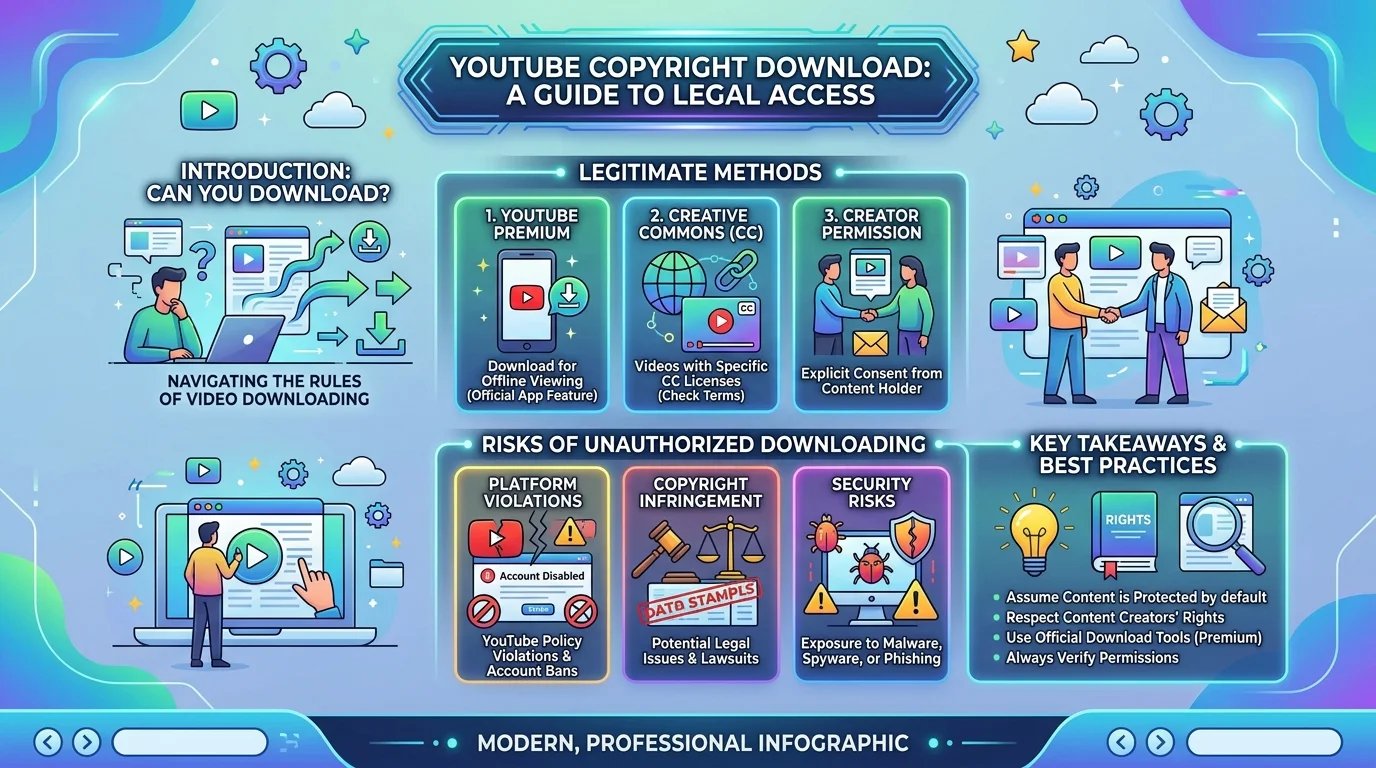
Quick Facts (TL;DR):
Downloading copyrighted YouTube videos without permission = illegal in most cases
Bypassing YouTube's protections = a separate violation under DMCA Section 1201
Minimum statutory damages for a single infringing download can start at $750 (17 U.S.C. §504)
Only fully legal method: YouTube Premium or YouTube Premium Lite
Safe exceptions: public domain content, Creative Commons licenses, direct written permission
Let's get into it.
Why "Just Downloading a Video" Isn't as Simple as It Sounds
Here's the thing nobody tells you upfront.
When you hit "download" on some random third-party site, you're not just grabbing a file. You're stepping into a legal minefield with three separate layers stacked on top of each other.
Sounds dramatic? Stick with me.
Layer 1: Copyright Law Itself
Copyright protection kicks in the second a creator uploads original content — automatically, no registration required.
That means almost every video you see has legal protection baked in from the moment it's published. If you're also researching YouTube copyright strikes or how Content ID flags videos, this is the same underlying legal foundation.
Layer 2: YouTube's Terms of Service
This one's sneaky.
Even if a video could legally be downloaded, using an unofficial tool typically breaks YouTube's Terms of Service — which is a private contract, not a criminal law.
Translation: You probably won't go to jail. But your account? That's fair game for suspension or an IP ban.
Layer 3: DMCA Anti-Circumvention (The One That Surprised Me Most)
This is the part most articles skip entirely.
According to several legal-analysis outlets, a federal court ruling in early 2026 found that bypassing YouTube's technical protection measures — even for a publicly viewable video — can independently violate DMCA Section 1201. (Worth noting: reporting on the exact case name varies by source, so if you're citing this for anything formal, verify it against a primary legal database like Justia or PACER before quoting it.)
Here's why that matters so much:
It doesn't matter whether your use of the video would've been legal. The act of circumventing the protection itself is treated as its own separate violation — and civil statutory damages for copyright infringement can start at $750 per work under 17 U.S.C. §504, even without proof of actual financial harm.
Wild, right?
The Narrow (And I Mean Narrow) Legal Exceptions
Now, I'm not here to tell you a YouTube copyright download is always illegal. There are real exceptions. They're just way smaller than most people assume.
You're generally in safe territory if:
The content is in the public domain
The creator explicitly licensed it under Creative Commons
You have direct written permission from the rights holder
You're using an officially licensed download feature
That last one? That's where things get interesting — and honestly, it's the option I recommend to basically everyone I talk to.
If you want a broader look at the tools people use to save content in the first place, I've also broken down the different options in my guide to YouTube video downloaders — worth a read before you pick a method.
The One Method I Actually Trust: YouTube Premium
I'll be straight with you.
After comparing sketchy downloader sites (some of which try to sneak malware onto your device disguised as .exe installers) against the official route, there's really no contest.
YouTube Premium's offline download feature is the only method that's fully licensed, safe, and officially supported. No cloak-and-dagger workarounds. No wondering if you just broke a law you didn't know existed. Read Also: Best Goal Setting Apps 2026: Free & Paid Picks
YouTube Premium vs. Premium Lite vs. Third-Party Tools
Here's a side-by-side so you can see exactly what you're trading off:
Feature | YouTube Premium | YouTube Premium Lite | Third-Party Downloaders |
|---|---|---|---|
Legal status | Fully licensed | Fully licensed | Legally risky (DMCA §1201 exposure) |
Offline downloads | Yes, up to 29 days | Yes, most non-music content | N/A (permanent local file) |
Ad-free viewing | Yes, full platform | Partial (ads on music/Shorts) | N/A |
Device limit | Up to 10 devices | Not specified | Unlimited (but unsupported) |
Malware risk | None | None | Real risk — fake |
Monthly cost | ~$13.99 | ~$7.99 | "Free" (hidden risk cost) |
Account risk | None | None | Suspension / IP ban possible |
Looking at this table, the value gap closes fast once you factor in the actual risk of a third-party tool.
What You Actually Get With Premium
Let me break this down quickly, because the value here is bigger than most people realize:
Ad-free viewing across YouTube and YouTube Music
Offline downloads that stay playable for up to 29 days without reconnecting
Background play so videos keep running while you check email or scroll elsewhere
Support for up to 10 devices at once
Access to YouTube Music Premium as part of the same subscription
And if the full price feels like a stretch? There's YouTube Premium Lite, which added offline downloads and background play for most non-music content at a lower monthly cost.
Basically: there's a legal download option for almost every budget now. That wasn't true even a year ago.
Step-by-Step: How to Download YouTube Videos the Legal Way
Okay, let's make this actionable. Here's exactly what to do.
Step 1: Subscribe to YouTube Premium (or Premium Lite) Head to youtube.com/premium and pick the plan that fits your budget.
Step 2: Find the video you want Open the video like normal — nothing fancy here yet.
Step 3: Tap the Download button You'll see it right below the video player. One tap, that's it.
Step 4: Choose your download quality Higher quality = more storage used. I usually go with the default unless I know I'll be traveling somewhere with almost no signal.
Step 5: Access it anytime, offline Go to your Downloads tab in the app. Your video's there, ready whenever you are — plane, subway, dead zone, doesn't matter.
That's genuinely it. No suspicious browser extensions. No "click here to continue" downloads that end in regret.
If you ever run into an error mid-download, I've also put together a fix-it guide for when your YouTube download fails — worth bookmarking just in case.
Quick Gut-Check: Is a Third-Party Downloader Ever "Safe"?
I get asked this constantly, so let's address it directly.
Even setting aside the DMCA circumvention risk we talked about earlier, third-party tools carry a very real technical risk too.
Fake download buttons. Bundled malware. Sites that promise .mp4 files but push .exe installers instead.
Is it possible to find one that "works fine" for a while? Sure.
Is it worth the risk to your device, your data, and potentially your legal exposure — just to save $7.99 a month?
Personally? No. Not even close.
Frequently Asked Questions
Is it illegal to download YouTube videos?
In most cases, yes — downloading copyrighted content without permission violates copyright law and always breaks YouTube's Terms of Service, even if criminal prosecution is unlikely for personal use.
Can I get in trouble for downloading a single video for personal use?
Realistically, enforcement targets platforms that mass-distribute ripped content, not individuals. But you're still exposed to civil statutory damages starting at $750 per work, plus possible account suspension.
Is YouTube Premium worth it just for downloads?
If you care about legality, security, and reliability, yes. You get ad-free viewing, offline downloads, and background play — all fully licensed, versus the legal and malware risk of third-party tools.
Are Creative Commons YouTube videos safe to download?
Yes — if a creator explicitly applies a Creative Commons license, that's one of the few legitimate paths to download and reuse content legally.
What's the difference between YouTube Premium and Premium Lite?
Premium Lite offers offline downloads and background play for most non-music content at a lower price, while full Premium adds ad-free music, YouTube Music Premium, and broader offline coverage.
My Honest Recommendation
If you've read this far, you already know where I land on this.
YouTube Premium isn't just the "safe" choice — it's genuinely the better experience. Ad-free playback, legitimate offline access, background play, multi-device support, and zero legal ambiguity.
You get all the convenience you were chasing from those sketchy downloader sites, minus the risk.
So here's my honest advice: skip the workarounds. Start your YouTube Premium trial today, download what you actually love, and watch it wherever life takes you — completely worry-free.
You'll wonder why you didn't switch sooner.
Read Also: YouTube Podcast Downloader: The Safe, Legal Guide