YouTube to WebM: Free Converter & Setup Guide
Converting YouTube to WebM means turning a video into an open-source format that's smaller, faster-loading, and built specifically for the modern web. It uses VP9 or VP8 video codecs paired with Opus or Vorbis audio, and it's the same format YouTube's own HTML5 player uses internally. Below, I'll show you exactly how to convert, when to use WebM over MP4, and what's legal.
So you've stumbled on a video file format that sounds like a coding error but is actually one of the smartest choices for web video. Let's talk about it.
I've spent the last few weeks testing converters, reading through the WebM Project documentation, and honestly just nerding out on codecs. Let's dive in.
What Is WebM, Anyway?
Definition: WebM is an open, royalty-free video container format based on the Matroska container, combining VP8/VP9 video codecs with Vorbis/Opus audio codecs, designed for fast, efficient web streaming.
Here's the thing — most people have never heard of WebM until they need it. And that's fine, because I'm about to make you sound like an expert in five minutes.
WebM is an open, royalty-free video format built specifically for the web. It's based on the Matroska container — basically the "box" that holds your video and audio streams together.
Inside that box, you'll typically find:
VP8 or VP9 video codecs
Vorbis or Opus audio codecs
You don't need to memorize those names. Just know this: they're free to use, unlike some proprietary formats that come with licensing headaches.
Why Google Built It This Way
Google didn't just throw WebM together for fun. They wanted a royalty-free format browsers could adopt without paying licensing fees — and it worked. VP8 and VP9 remain freely usable by anyone, per the WebM Project FAQ.
Modern browsers like Chrome, Firefox, and Opera support WebM natively. Safari? Not fully — you'll need VLC or a fallback MP4 for full support there.
WebM vs MP4: Which Should You Actually Use?
Let me save you the guesswork with a straight comparison.
Feature | WebM | MP4 |
|---|---|---|
File size | Generally smaller at equivalent quality | Larger on average |
Browser support | Chrome, Firefox, Opera (native) | Nearly universal |
Safari support | Limited/partial | Full support |
Codec licensing | Royalty-free (VP8/VP9/Opus) | Can involve licensing (H.264) |
Best for | Web embeds, HTML5 players, fast page loads | Cross-device compatibility, sharing, mobile |
Backed by | Google / Xiph / Matroska | MPEG-LA |
Bottom line: if you're building for modern browsers and speed matters, choose WebM. If you need bulletproof playback on every device imaginable, MP4 is still the safer default.
Why Would You Even Want a WebM File?
If you're a content creator, web developer, or just someone who wants smaller, faster-loading video on your site, WebM compression is genuinely worth it — WebM files are commonly reported to run 20–30% smaller than comparable MP4 files at similar visual quality, according to testing shared by Cloudinary's format guide.
Here's when WebM shines:
You're embedding video on a website and care about page load speed
You want HTML5 video compatibility without plugins
You're building for web streaming, not just casual viewing
You want an open-source video format with zero licensing drama
If you're a creator who converts a lot of clips, it's worth also bookmarking our guide on the youtube video downloader options for saving source files before you convert them.
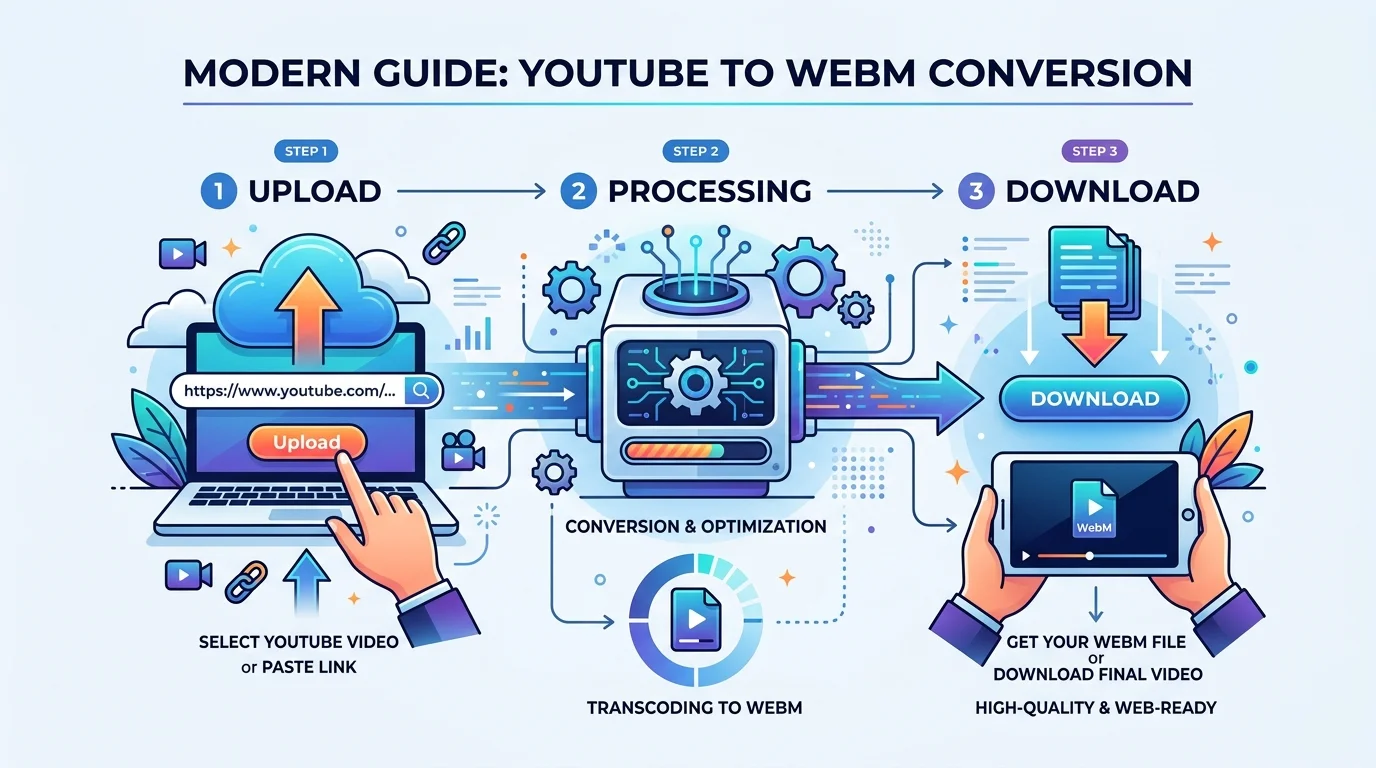
The Step-by-Step: Converting YouTube to WebM
Alright, let's get into the actual how-to.
Step 1: Copy the YouTube URL
Open the video on YouTube. Copy the link straight from your browser's address bar.
Step 2: Choose Your Conversion Method
Option A — Online converters. Paste a URL, get a WebM file back. Fast, no install.
Option B — Desktop software with FFmpeg. More technical, but full control over quality and bitrate settings.
If you want the manual route, FFmpeg is the gold standard:
ffmpeg -i input.mp4 -c:v libvpx-vp9 -b:v 3.5M -c:a libopus output.webmThis handles video transcoding, sets a solid bitrate, and pairs VP9 with Opus audio — the combo most experts recommend for modern WebM output, per Mux's FFmpeg guide.
Step 3: Pick Your Resolution
Match resolution to actual use case. Don't export 4K for a muted autoplay background video — nobody needs that file size.
Step 4: Convert and Download
Hit convert, wait, download.
Step 5: Test Playback Across Browsers
Test in Chrome, Firefox, and Safari. If Safari struggles, that's expected — use VLC or keep an MP4 fallback ready.
If your conversion doesn't go smoothly, don't panic — most hiccups are quick fixes. Check out our breakdown of common youtube converter error causes and how to resolve them before trying a different tool.
A Quick, Honest Word About Legality
I'd rather be straight with you than sell you something misleading.
YouTube's Terms of Service technically restrict downloading content outside official channels like YouTube Premium's offline feature.
My actual advice:
Convert your own uploaded videos — always fair game
Use content licensed under Creative Commons
Grab public domain material
Or get explicit permission from the creator
Stick to those, and you're in safe territory.
Choosing the Right WebM Converter Tool
When picking a YouTube to WebM converter, here's what actually matters:
Speed — nobody wants a ten-minute wait for a three-minute clip
Quality retention — no weird compression artifacts
No sketchy ads or malware — unfortunately common in this space
Batch processing — saves serious time on multiple files
Format flexibility — good tools also export MP4 and MKV
Desktop tools tend to offer more power (playlist downloads, higher resolution caps), while browser-based tools win on convenience.
Frequently Asked Questions
Is WebM better than MP4?
It depends on your goal. WebM is smaller and web-native, ideal for fast-loading site embeds. MP4 wins on universal device compatibility.
Can I legally convert YouTube videos to WebM?
Only for content you own, Creative Commons-licensed material, public domain videos, or with explicit permission — per YouTube's Terms of Service.
Does Safari support WebM?
Only partially. For guaranteed playback, use VLC or provide an MP4 fallback.
What codecs does WebM use?
Video: VP8 or VP9 (and increasingly AV1). Audio: Vorbis or Opus, with Opus generally recommended for modern encodes.
Is WebM free to use?
Yes — VP8, VP9, Vorbis, and Opus are all royalty-free, per the WebM Project.
Final Thoughts: Is WebM Worth the Switch?
WebM genuinely delivers smaller file sizes, strong video compression efficiency, and a codec stack (VP9 + Opus) that's free, open, and actively maintained by Google and the WebM Project.
If you're building anything for the modern web — a portfolio, a product demo, a marketing site — this format deserves a serious look.
Convert responsibly, respect content ownership, and test your files before you ship them live.