How to Become a YouTuber in 2026 Full Step Guide
How To become a YouTuber, for that you need to pick a focused niche, set up your channel with solid branding, understand how the YouTube algorithm ranks videos in 2026, publish consistently (20-50 videos before real traction hits), and diversify your income beyond just AdSense. That's the whole game in one sentence — now let's break down exactly how to do each part.
So you want to become a YouTuber. Good. Let's talk.
I'm not going to sell you on some overnight fantasy where you upload one video and wake up with a million subscribers. That's not how this works. What I am going to give you is a real, practical roadmap — the same kind of stuff that separates creators who actually build a career from the ones who quit after video number seven.
Let's dig in.
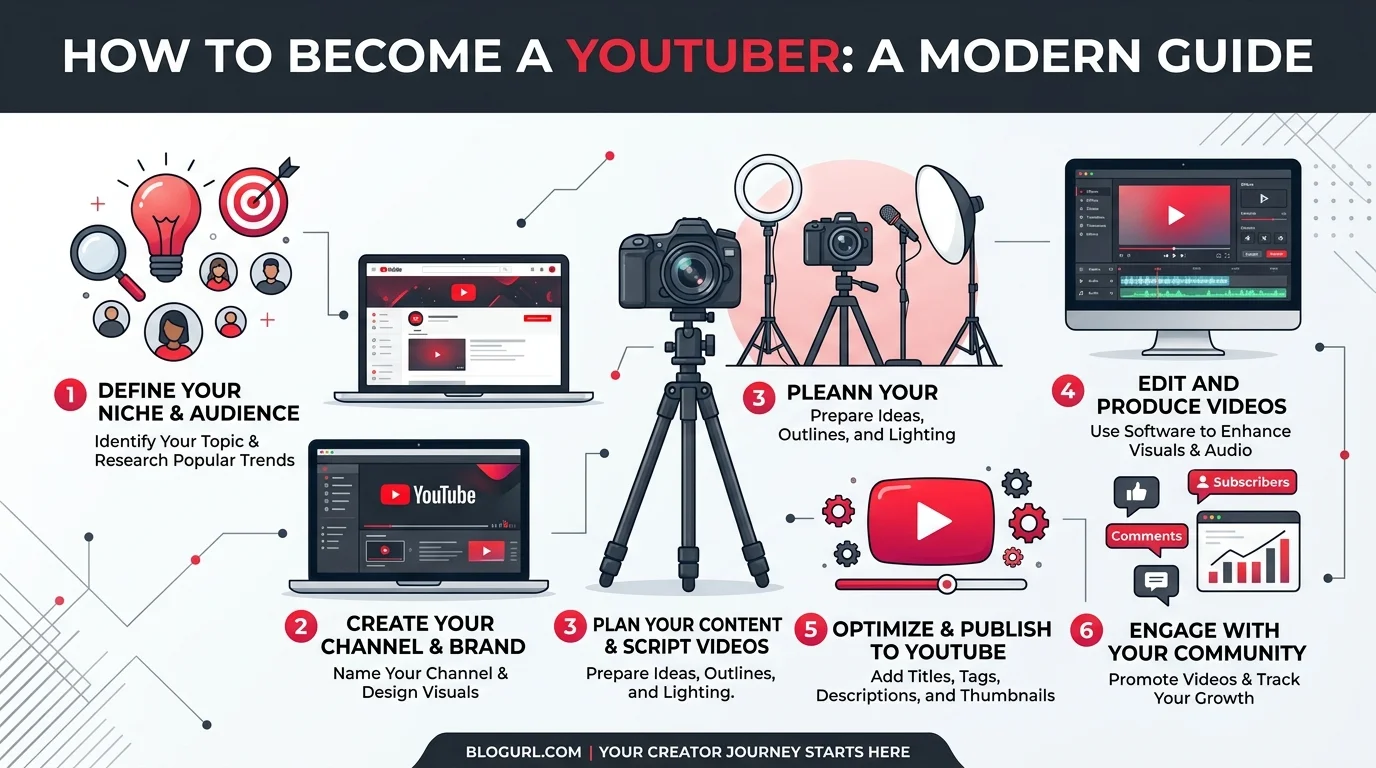
Step 1: Pick Your Niche (Seriously, Don't Skip This)
Here's the thing nobody wants to hear: niche selection is where most new creators mess up. They think "I'll just make videos about whatever" and then wonder why nobody's watching.
Bad move.
Your content niche is your anchor. It's what makes people come back. Think about it — would you subscribe to a channel that does cooking videos one week and crypto trading the next? Probably not.
Instead, ask yourself:
What can you talk about for hours without getting bored?
What do you already know more about than the average person?
Is there an actual audience searching for this stuff?
You want the overlap between passion, expertise, and demand. That's your sweet spot.
Do Your Competitor Research
Once you've got a rough niche in mind, go snoop. Check out the top channels in your space. Study their video titles, their thumbnails, their comment sections. What are people asking for that isn't being answered yet? That gap? That's your opportunity.
Step 2: Set Up Your Channel the Right Way
Okay, niche locked in. Now let's talk setup.
This part's honestly the easy part. Creating a channel is free — all you need is a Google account and a decent smartphone camera to get rolling. Once you've recorded your first clip, you'll also want to know how to upload a video to YouTube properly, since getting your titles, descriptions, and privacy settings right from the very first upload saves you headaches later. Don't let "I don't have expensive equipment" be your excuse. It's not 2015 anymore.
But here's where people get lazy: channel branding.
Your banner, your profile photo, your channel description — these all need to look intentional. A messy, half-finished channel page tells new visitors "this person isn't serious," and they'll bounce before your first video even loads.
Equipment You Actually Need (Don't Overspend)
Here's the truth — you don't need a $3,000 setup to start. Here's a realistic starter list:
Camera: Your smartphone (seriously, that's enough at first)
Microphone: A $30-50 clip-on lav mic — audio quality matters more than video quality
Lighting: Natural window light or a cheap $25 ring light
Editing software: Free tools like DaVinci Resolve or CapCut work fine when you're starting out
Upgrade your gear as your channel actually earns money — not before.
Step 3: Understand the YouTube Algorithm (This Changes Everything)
Alright, real talk — you can't grow on YouTube without understanding how the YouTube algorithm actually works.
In 2026, it's not just about slapping keywords everywhere anymore. The algorithm cares about viewer satisfaction way more than it used to.
Here's what actually moves the needle:
Click-through rate (CTR) — does your thumbnail and title get people to click?
Watch time — how long do people actually stick around?
Audience retention — are they watching the whole thing, or bailing at the 30-second mark?
Engagement signals — likes, comments, shares.
And listen — this is huge — YouTube's own research has found that thumbnails with high contrast, minimal text, and an expressive human face can outperform generic screenshots by 8 to 15 times in CTR. That's not a small edge. That's the difference between 200 views and 20,000.
Don't sleep on thumbnails.
YouTube SEO: The Part Most Beginners Get Wrong
Now let's talk YouTube SEO.
A lot of beginners think this means cramming keywords into your title until it reads like word soup. Please don't do that.
What actually works is semantic SEO — meaning you naturally cover a topic in depth instead of repeating one phrase fifty times. In fact, one analysis of 1.6 million YouTube videos found that only 6% of top-ranking videos used exact-match keywords in their titles. The other 75%? They used related, semantic terms instead.
So when you're writing your title and description, don't just think "keyword." Think "topic." Cover the related ideas — video optimization, watch time, audience retention, viewer psychology — naturally, like you're actually explaining something to a friend.
Also worth knowing: tags just aren't the powerhouse they used to be. YouTube's AI now leans heavily on analyzing your actual spoken video transcript to understand what your content's about. So — talk clearly, say your topic out loud in the video, and don't rely on tags to save you.
Best YouTube SEO Tools Compared
If you want help with keyword research, here's how the top tools stack up:
Tool | Best For | Starting Price | Key Feature |
|---|---|---|---|
OutlierKit | Keyword + competitor analysis | $9/mo | 4-layer keyword stack method |
VidIQ | SEO scorecards | $7.50/mo | Keyword overlays on videos |
TubeBuddy | A/B testing | $4.99/mo | Keyword explorer + thumbnail tests |
Pick one, stick with it for 90 days, and let the data guide your next videos. For a broader toolkit beyond just SEO, it's worth browsing our full roundup of creator tools too — from editing to publishing, having the right stack makes every step easier.
Step 4: Stay Consistent (Even When It's Hard)
I'm going to be honest with you here.
Most channels need somewhere between 20 and 50 videos before they start seeing real traction. Not 3. Not 5. Twenty to fifty.
That's rough to hear, I know. But here's why it matters: the algorithm favors creators who publish on a predictable schedule because it can start anticipating your content and build momentum around it.
So — pick a content calendar, mix in some evergreen content with a few trending topics, and just... keep going. Consistency beats perfection every single time.
Step 5: Turn Your Channel Into Income
Alright, now for the fun part — monetization.
You've got way more options than just AdSense these days:
Affiliate marketing — earn commissions promoting products you actually use
Brand sponsorships — get paid to feature a company in your video
Channel memberships and crowdfunding — think Patreon-style ongoing support from fans
Merchandise — sell branded products once your audience trusts you
Content licensing — letting media outlets use your viral clips
You don't need millions of subscribers to start making money either. A smaller, engaged audience with high watch time and strong CPM can outperform a bigger, disengaged one. For reference, typical YouTube CPM rates range roughly from $2 to $10 per 1,000 views depending on your niche, with finance and tech channels usually sitting at the higher end.
Step 6: Get Ready for the AI Search Era
Here's something most guides won't tell you.
YouTube isn't just a video platform anymore — it's becoming a full-on AI-powered search and discovery engine. With new conversational AI search features rolling out, videos that clearly answer specific questions, use timestamps, and have clean transcripts are getting pulled directly into AI-generated summaries.
Translation? Structure your videos like you're answering real questions people are typing into a search bar. Because more and more, that's exactly what's happening.
Frequently Asked Questions
How much do YouTubers make per 1,000 views?
Most YouTubers earn between $2 and $10 per 1,000 views (RPM/CPM) from ad revenue alone, though this varies heavily by niche, audience location, and season.
How many subscribers do I need to make money on YouTube?
You need 1,000 subscribers and 4,000 watch hours (or 10 million Shorts views) in the past 12 months to join the YouTube Partner Program.
Do I need expensive equipment to start?
No. A smartphone, a cheap clip-on mic, and free editing software like DaVinci Resolve are genuinely enough to start. Upgrade only once your channel is generating income.
How often should I upload as a new YouTuber?
Consistency matters more than frequency. Once a week is a solid, sustainable starting cadence — just don't skip weeks once you commit to a schedule.
How long does it take to grow a YouTube channel?
Most channels need 20-50 published videos before seeing real momentum, so expect this to take several months of consistent effort, not days.
Final Thoughts
Look — becoming a YouTuber isn't magic. It's a mix of picking the right niche, mastering YouTube SEO, staying consistent with your content calendar, and diversifying your monetization once you've built trust with your audience through strong watch time and audience retention.
It's going to take longer than you want. It's going to be harder than the highlight reels make it look.
But if you stick with it? This is genuinely one of the best creative careers you can build right now.
So — what's stopping you from hitting record today?