How to Use Instagram in 2026 (Step-by-Step Guide)
Learning how to use Instagram takes about 30 minutes for the basics and a few weeks to actually get good at it. You'll need to download the app, set up a Creator or Business account, learn the six content formats, and understand how the Instagram algorithm ranks content across Feed, Reels, and Stories. This guide walks you through every step, from creating your first post to building a hashtag strategy that still works after the 2026 changes.
Most "Instagram guides" online are recycled from a few years back. This one isn't. Everything here reflects what's happening on the platform right now, with sources linked throughout so you can verify it yourself.
Let's get into it.
Why Instagram Still Matters in 2026
Instagram isn't the shiny new app anymore, and that's exactly why it matters. It's mature, stable, and still where over 2 billion people show up every single month.
You might be thinking, "isn't TikTok the bigger deal now?" Fair question. But Instagram has quietly absorbed everything that made TikTok popular, short-form video, algorithmic discovery, creator monetization, and layered it on top of an app people already trust with their shopping, their DMs, and their daily habits.
That combination is rare. Few platforms let you post a Reel, sell a product, and message a customer without ever leaving the app.
So no, Instagram isn't dead. It's just different than it was in 2020, and if you're learning it from an old guide, you're learning the wrong platform.
What You Need Before You Start
Before you touch a single setting, get these things sorted. Skipping this step is the number one reason new accounts stall out in week two.
Here's your pre-setup checklist:
A smartphone (iOS or Android) with the Instagram app installed
An email address or Facebook account to sign up with
A clear idea of your niche (don't skip this, seriously)
A profile photo, even a simple one
15 to 20 minutes of uninterrupted focus
That last one sounds silly. It isn't. Setting up your profile in a rush is how you end up with a bio that says nothing and a username you'll regret in six months.
Step-by-Step: How to Set Up Your Instagram Account
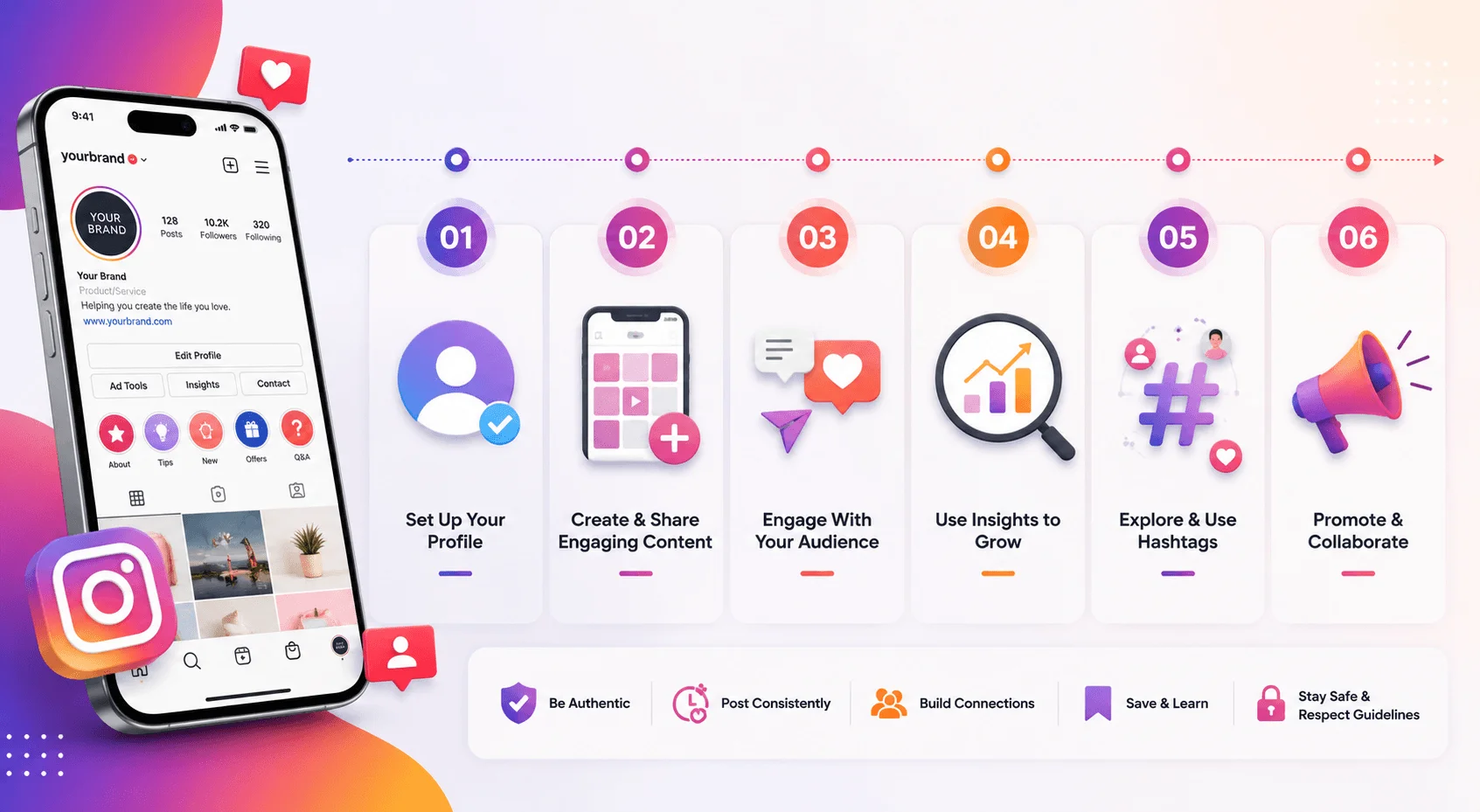
Alright, let's build this thing properly.
Step 1: Download and Create Your Account
Head to the App Store or Google Play and download Instagram. Open it up, and you'll be prompted to sign up with either your email or your Facebook login, since Instagram is owned by Meta.
Pick a username you can live with long-term. Ideally it matches your niche or your brand name. Avoid random numbers at the end. It looks unfinished.
Step 2: Switch to a Creator or Business Account
This one's non-negotiable if you're building an audience or a brand. A personal account hides you from Instagram Insights, ad tools, and the analytics that tell you what's actually working. See our guide to Instagram analytics for beginners for a full walkthrough once your account is set up.
Go to your profile, tap the menu, and switch account type. It takes ten seconds and unlocks everything you need for step four.
Step 3: Optimize Your Profile
Your bio has around 150 characters. Use them like they're expensive.
Include:
Who you help (be specific, not vague)
What makes you different
A clear call-to-action
A link, using Instagram's native multi-link "Add link" feature that rolled out in 2026, pointing wherever you most want visitors to go
For more on writing bios and captions that convert, check our Instagram caption writing guide.
Step 4: Learn the Six Content Formats
Instagram now runs on six distinct formats, and knowing when to use each one is half the battle:
Format | Best For | Effort Level | Reach Type |
|---|---|---|---|
Feed Posts | First impressions, static value | Low | Followers-heavy |
Carousels | Evergreen, educational content | Medium | Followers-heavy |
Reels | Discovery, reach beyond followers | Medium-High | Non-followers-heavy |
Stories | Daily connection, behind-the-scenes | Low | Followers-heavy |
Notes | Quick text updates to close friends | Very Low | Followers-only |
Live | Real-time engagement, Q&As | High | Mixed |
Don't try to master all six at once. Pick two, get consistent, then expand. If Stories is one of your picks, our guide on how to repost a Story on Instagram is worth bookmarking for later.
How the Instagram Algorithm Actually Works in 2026
Here's the part most guides get wrong: there is no single Instagram algorithm. According to Buffer's 2026 breakdown, Feed, Reels, Stories, and Explore each run their own separate ranking system, and a post that crushes it in one place can flop completely in another.
Understanding this changes how you plan content, so pay attention here.
The Feed Algorithm
The Feed predicts one thing above all: how likely you are to spend ten or more seconds on a post, comment on it, or send it to a friend. That's the core signal it's optimizing for, per Buffer's reporting on Instagram's own ranking explanations.
The Reels Algorithm
Reels work differently. DM shares are the single most heavily weighted signal for Reels distribution. When you publish a Reel, it first gets shown to a small test pool, typically 200 to 1,000 non-followers depending on account size. Watch that pool closely, because what happens in the first 90 minutes after publishing decides whether your Reel expands to a wider audience or quietly stalls.
If people watch it fully, replay it, and DM it to friends, the algorithm expands your reach. If they scroll past, it throttles you fast.
What Changed in 2026
Two shifts matter most this year, according to Dataslayer's algorithm report:
Authenticity over polish. Instagram is now actively favoring raw, human content over AI-generated material. Watch time has replaced the old three-second view metric entirely.
User control. Instagram's "Your Algorithm" feature, introduced in 2026, lets you add or remove topics you want to see, giving users a direct say instead of relying purely on behavioral tracking.
Bottom line? Stop chasing tricks. The algorithm in 2026 rewards content people actually want to finish, rewatch, and share. That's it. That's the whole game.
Instagram Hashtags: What Actually Works Now
Quick gut check. If you're still slapping 30 hashtags on every post, stop. That strategy ended in December 2025.
Instagram capped hashtag usage at 5 per post and Reel. Adam Mosseri, Instagram's head, put it plainly: a few specific tags perform better than a long list of generic ones.
Here's how to use your five hashtags well:
Do | Don't |
|---|---|
Use tags specific to this exact post | Reuse the same five tags every time |
Mix 1–2 broad tags with 3–4 niche ones | Stack 20–30 generic tags |
Check "Reach from Hashtags" weekly | Ignore Insights data |
Refresh tag groups quarterly | Set-and-forget your hashtag list |
Treat captions as the real keyword engine | Rely on hashtags alone for discovery |
One more thing worth knowing: Instagram now reads your caption text itself as keywords that power its internal search and recommendations. So your hashtags aren't really the main event anymore, they're the label on the box. The caption is what's actually being read and understood.
How to Grow Your Instagram Following
Growth isn't magic. It's math, patience, and consistency, in that order.
If You're Under 10,000 Followers
Prioritize Reels. According to Improvado's 2026 growth research, they're currently getting roughly 1.5x more reach than static posts for smaller accounts, since they're built for discovery beyond your existing audience.
If You're Over 10,000 Followers
Shift focus toward retention. Stories, Live sessions, and DMs matter more here than raw reach, because you're now protecting an audience, not just chasing a new one.
Universal Growth Rules
Regardless of your size, these hold true:
Post consistently. Two to three times a week beats sporadic bursts followed by silence, every time.
Win the first three seconds. If your hook doesn't land immediately, nothing else matters.
Make things save-worthy or share-worthy. Likes are now the weakest engagement signal in the current system.
Engage back. Reply to comments and DMs. The algorithm notices real, two-way conversation.
Instagram Shopping and Monetization
If you sell anything physical, Instagram Shopping deserves your attention. It's now fully integrated with Meta Commerce Manager, so you manage your inventory and orders from a single dashboard instead of juggling separate tools.
A tip that actually moves the needle here: show your product in use, not floating on a plain white background. A coffee mug photographed mid-pour in someone's actual kitchen converts noticeably better than the same mug sitting alone in a studio shot.
Once your catalog is connected, you can tag products directly in posts and Stories, letting customers buy without ever leaving the app.
For paid reach, Meta Ads Manager is where you'll boost posts or build targeted campaigns using demographics, interests, or lookalike audiences built from your existing customers. And if you're posting Reels or Stories, check out our guide on how to add music to an Instagram post to make your content more engaging.
Common Instagram Mistakes to Avoid
Let's cover the mistakes that quietly kill accounts.
Posting inconsistently. Bursting five posts in one week, then vanishing for a month, confuses both your audience and the algorithm.
Overusing generic hashtags. Five relevant tags beat thirty broad ones every time now.
Ignoring Insights. If you're not checking what's actually working, you're guessing, and guessing is expensive.
Recycling content with watermarks. Instagram's 2026 "Originality Score" penalizes reposted content, especially anything carrying another platform's watermark.
Chasing vanity metrics. Follower count means little if your engagement rate and DM reach are declining. Track the metrics that actually reflect health, not just size.
FAQ: How to Use Instagram
How long does it take to set up an Instagram account?
Around five minutes for the basic setup. Optimizing your profile properly takes closer to 20 to 30 minutes if you're doing it right.
Should I use a personal or business account?
If you're building any kind of audience or brand, switch to Creator or Business. You lose nothing and gain analytics, scheduling, and shopping tools.
How many hashtags should I use on Instagram in 2026?
Five, maximum. That's the platform's own cap as of December 2025, and quality now beats quantity by a wide margin.
What's the best Instagram content format for beginners?
Reels, generally, since they're designed for discovery and reach people who don't already follow you.
Does the Instagram algorithm favor video over photos?
It favors watch time and shareability, and video formats like Reels tend to generate both more easily than static photos, but a strong carousel can still perform very well.
How often should I post on Instagram?
Two to three times per week, consistently. That beats posting daily for two weeks and then disappearing.
Final Thoughts
Learning how to use Instagram isn't complicated. It's just detailed, and most guides skip the details that actually matter in favor of generic advice you've read a hundred times already.
Set up your profile properly. Understand that Feed, Reels, and Stories each play by their own rules. Use your five hashtags with intention instead of desperation. Post consistently, and make things people actually want to share.
Do that, and you're already ahead of most accounts on the platform.
Now go set up your profile. You've got everything you need.