How to Write Website System Prompt (2026 Guide)
A Website system prompt is the invisible instruction set that tells your AI chatbot who it is, how to talk, and what it can and can't do — before a user ever types a message. In this guide, I'll walk you through the exact 7-step process I use to write one: defining the role, setting context, formatting output, adding constraints, using examples, guarding against prompt injection, and testing. By the end, you'll have a framework you can copy for your own website chatbot — as of 2026, this applies to GPT-4, Claude, and Gemini alike.
I've spent way too many hours staring at chatbots that felt... off. You know the type — robotic, inconsistent, sometimes helpful and sometimes completely useless. And every single time, the culprit was the same thing: a lazy system prompt.
Here's the thing. A system prompt isn't just "instructions for your AI." It's the entire personality, rulebook, and operating manual for your AI chatbot before a single user ever types a word. Get it wrong, and your bot rambles. Get it right, and you've basically built a tireless employee who never has a bad day.
If you're also thinking about how AI reads and ranks your content in the first place, it's worth pairing this with a look at AI search optimization tools — because how your AI behaves and how your content gets discovered are two sides of the same coin.
So let's talk about how to actually do this well.
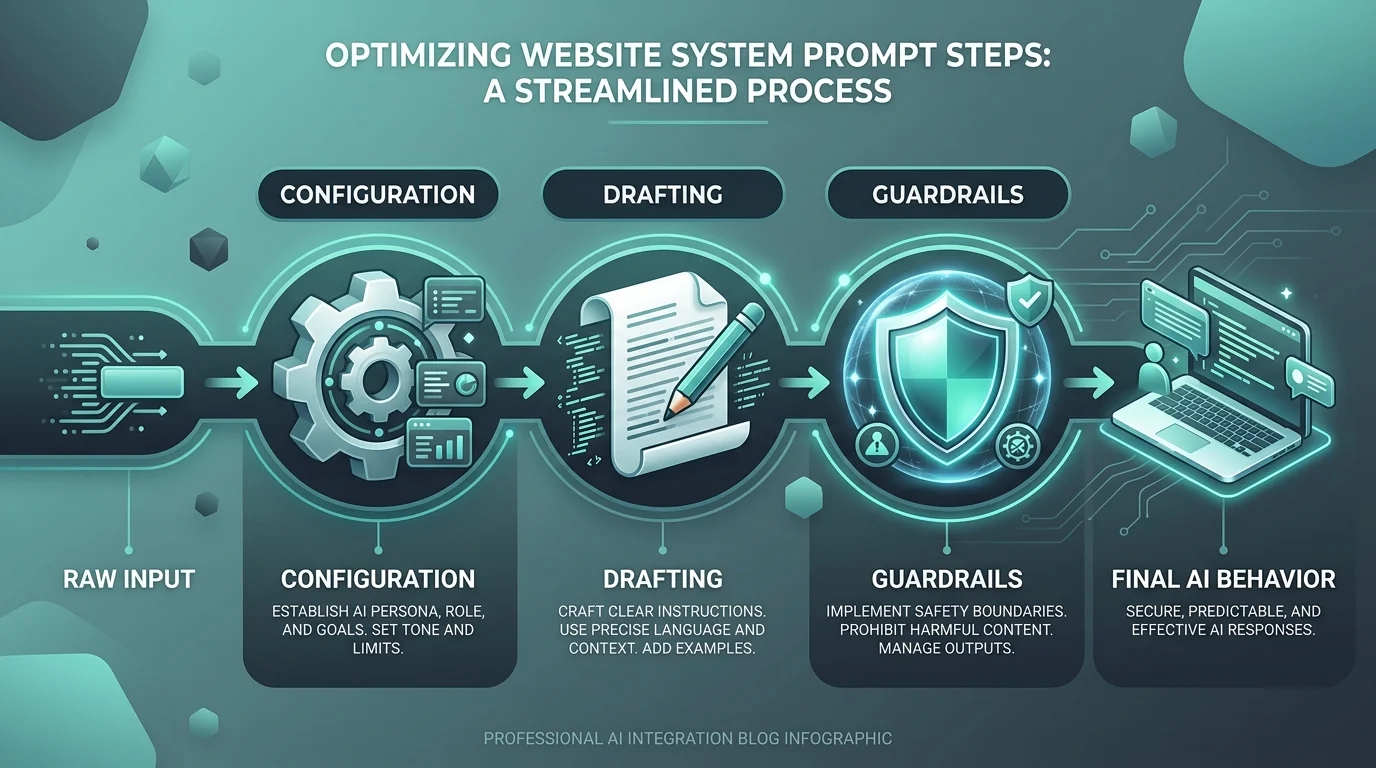
What Is a System Prompt, Really?
I want to clear this up first because so many people mix it up with a regular chat message.
A system prompt is the invisible instruction set that runs in the background of every conversation. Your users never see it. But it shapes everything — tone, boundaries, and how the AI responds to literally anything you throw at it.
Think of it like hiring someone and giving them a job description before their first day. You wouldn't just say "go help customers." You'd tell them who they're helping, how to talk, and what not to say. That's exactly what a well-structured system prompt does for your AI.
If you've ever wondered what the "GPT" in ChatGPT actually stands for while reading about this stuff, I broke that down separately in what does GPT stand for — worth a quick read if you want the underlying model context.
System Prompt vs. User Prompt: What's the Difference?
Quick clarification, because this trips people up constantly.
System Prompt | User Prompt | |
|---|---|---|
Who writes it | Developer/business owner | The end user |
When it's set | Before the conversation starts | During the conversation |
Visibility | Hidden from the user | Visible in the chat |
Purpose | Defines role, tone, rules | Asks a specific question |
Changes per session? | Rarely (set once) | Every single message |
Once you see it laid out like that, it clicks: the system prompt is the foundation, and every user prompt is just a request built on top of it.
Step 1: Define the AI's Role Clearly
Okay, so this is where most people mess up right out of the gate.
You can't just say "be helpful." That's meaningless to a language model. You need to give it an actual identity.
Instead of vague fluff, try something like: "You are a customer support specialist for a SaaS company, and your job is to resolve billing questions quickly and kindly."
See the difference? Suddenly the model knows exactly who it's supposed to be.
What to include in your role definition
Give it a job title
Give it a specific domain of expertise
Tell it who it's talking to
This single step, according to multiple prompt engineering guides, is responsible for more consistency gains than almost anything else you'll do.
Step 2: Set the Context (Don't Skip This)
Alright, now that your AI knows who it is, it needs to know where it is.
Context is everything. Without it, your bot is basically guessing.
The three things your context should always cover
What business or website it's representing
What information it has access to
What it should assume about the user
Honestly, I think of context-setting like giving someone a map before sending them into a maze. Without the map, they're going to bump into walls constantly — and your users will notice.
Step 3: Specify the Task and Output Format
Here's where things get fun.
You need to tell the AI exactly how you want its answers structured. Not loosely. Precisely.
A simple output format template
"Always answer in three parts: 1) a short summary, 2) step-by-step instructions, 3) a follow-up question."
This is called output formatting, and it's non-negotiable if you want consistent, professional-sounding responses. Multiple system prompt design patterns point to explicit formatting as one of the biggest levers for reliability.
Honestly? Skipping this step is like asking a chef to "make something good" without telling them what dish you want. You'll get something — just probably not what you needed.
Step 4: Add Constraints and Guardrails
Now — and I really can't stress this enough — you need boundaries.
Without constraints, your AI will happily wander off-topic, make promises it shouldn't, or worse, hallucinate facts with total confidence.
Constraints worth including in almost every prompt
Never discuss competitors
Never promise refunds without approval
Always escalate legal or sensitive questions to a human
Stay within your documented knowledge boundaries
This is basically your safety net. And according to best practices for agentic prompts, a clear instruction hierarchy — meaning which rule wins when two rules conflict — is what separates amateur bots from production-ready ones.
Step 5: Include Examples (Few-Shot Magic)
I'll be honest — this step alone has saved me more headaches than anything else on this list.
Language models are incredible pattern-matchers. So when you show them an example of the exact response style you want, they copy it. It's called few-shot prompting, and it works shockingly well.
A mini example you can copy
Input: "How do I cancel my subscription?" Output: "No problem! Head to Settings > Billing > Cancel Plan. Want me to walk you through it step-by-step?"
Give the model two or three of these, and watch how much more consistent your responses become.
Step 6: Watch Out for Prompt Injection
Okay, quick but important detour.
If your AI reads content from external websites — think summarizing a page or browsing on your behalf — there's a sneaky risk called website prompt injection. This is where someone hides malicious instructions inside a webpage's code, invisible to humans but readable by your AI.
Why this matters more in 2026
As more browsers and assistants (Chrome, Copilot, and similar tools) read live web pages by default, this attack surface keeps growing. You definitely want to build in protections against this, especially if your AI-powered website assistant pulls in any external content.
Step 7: Test, Tweak, Repeat
I know, I know — nobody loves this part. But it's the difference between a prompt that sounds good on paper and one that actually performs.
My minimum testing checklist
Edge cases (weird or rude user inputs)
Common questions your real users ask
At least 5–10 different scenarios, as recommended in most prompt-writing frameworks
Then adjust. Then test again. This iterative loop is honestly where the real craftsmanship happens.
Quick Recap: The 7-Step System Prompt Framework
If you only remember one section, make it this one:
Define the role — give your AI a clear identity
Set the context — tell it what it knows and who it's talking to
Specify output format — structure the response, don't leave it loose
Add constraints — draw the lines it can't cross
Include examples — show, don't just tell
Guard against prompt injection — especially if it reads live web content
Test relentlessly — 5–10 scenarios minimum, then iterate
Frequently Asked Questions
What's the difference between a system prompt and a user prompt?
A system prompt is set once by the developer and stays hidden from the user — it defines role, tone, and rules. A user prompt is the actual message someone types, and it changes with every turn of the conversation.
Do all AI models support system prompts?
Yes — GPT-4, Claude, Gemini, and most major LLMs all support system-level instructions, though the exact syntax and token limits vary slightly by platform.
How long should a system prompt be?
There's no fixed rule, but production-grade prompts often run from a few hundred to a couple thousand tokens. Start lean, then add detail only where you see inconsistent behavior in testing.
Can a system prompt be changed after launch?
Absolutely. Most platforms let you edit it anytime, and changes apply to the next new conversation — no need to touch your underlying code.
Why This Actually Matters for Your Website
Look, I get it. This all sounds like a lot of work for "just some instructions."
But here's the truth: your website chatbot is often the first interaction someone has with your brand. A sloppy, inconsistent AI makes your whole business look unpolished. A sharp, well-crafted system prompt makes you look like you have your act together — even if you're a two-person startup.
So if you're building anything AI-powered for your site — support bots, sales assistants, onboarding helpers — don't treat the system prompt as an afterthought. Treat it like the foundation it actually is.
Start with role, context, format, constraints, and examples. Test relentlessly. And watch your AI assistant instructions actually start doing their job.