YouTube to MP3 iPhone: Safe & Free Converter Guide
So you want your favorite songs off YouTube and onto your iPhone. You are not alone. Thousands of people search for youtube to mp3 iphone every single day, hoping for a quick and safe fix. This guide walks you through every trusted method, from official apps to third-party YouTube downloader tools, plus every risky shortcut worth avoiding. You will learn how to protect your device, keep your MP3 audio quality high, and enjoy true offline listening on iPhone. Head over to ytcliptune any time you need a free, ad-light converter tool ready to go. No fluff here. Just real, tested answers.
What Does "YouTube to MP3 on iPhone" Mean
Let's clear the air first. Youtube to mp3 iphone simply means turning a YouTube video's audio track into a standalone MP3 file you can play offline. People do this because streaming eats data. It also drains your battery fast. But here's the catch: YouTube's terms of service do not allow ripping content without permission.
This does not mean you will get arrested for saving a song for personal listening. Courts generally treat personal use under fair use loosely, though distributing that file crosses into copyright trouble. Stick to personal use only. Never resell or redistribute what you download. That one rule keeps you safe legally, even if the tools themselves carry other risks we will cover soon.
Official Way — Download YouTube Music for Offline Listening on iPhone
Before you touch any third-party tool, know this: YouTube Music already offers a built-in way to save songs. It is the cleanest, safest route available. With a YouTube Music Premium subscription, you get true offline listening on iPhone without ever converting a single file. For a deeper breakdown of this approach, check our full YouTube Music to MP3 guide.
This method keeps everything inside Google's ecosystem. Your playlist, your metadata, your audio quality — all intact. It costs money monthly, sure. But it saves you from sketchy pop-ups and shady redirects that plague free converter sites. If budget allows, start here before exploring anything else on this list.
How to Download YouTube Music for Offline Play on iPhone
Open the YouTube Music app from the App Store and sign in. Find your song or playlist, tap the three dots, then tap Download. Head to your profile icon, choose Download, then Settings. Turn on the YouTube Music offline mixtape toggle. Now your music plays without Wi-Fi or data, straight from your phone.
Best Methods to Convert YouTube to MP3 on iPhone (2026 Update)
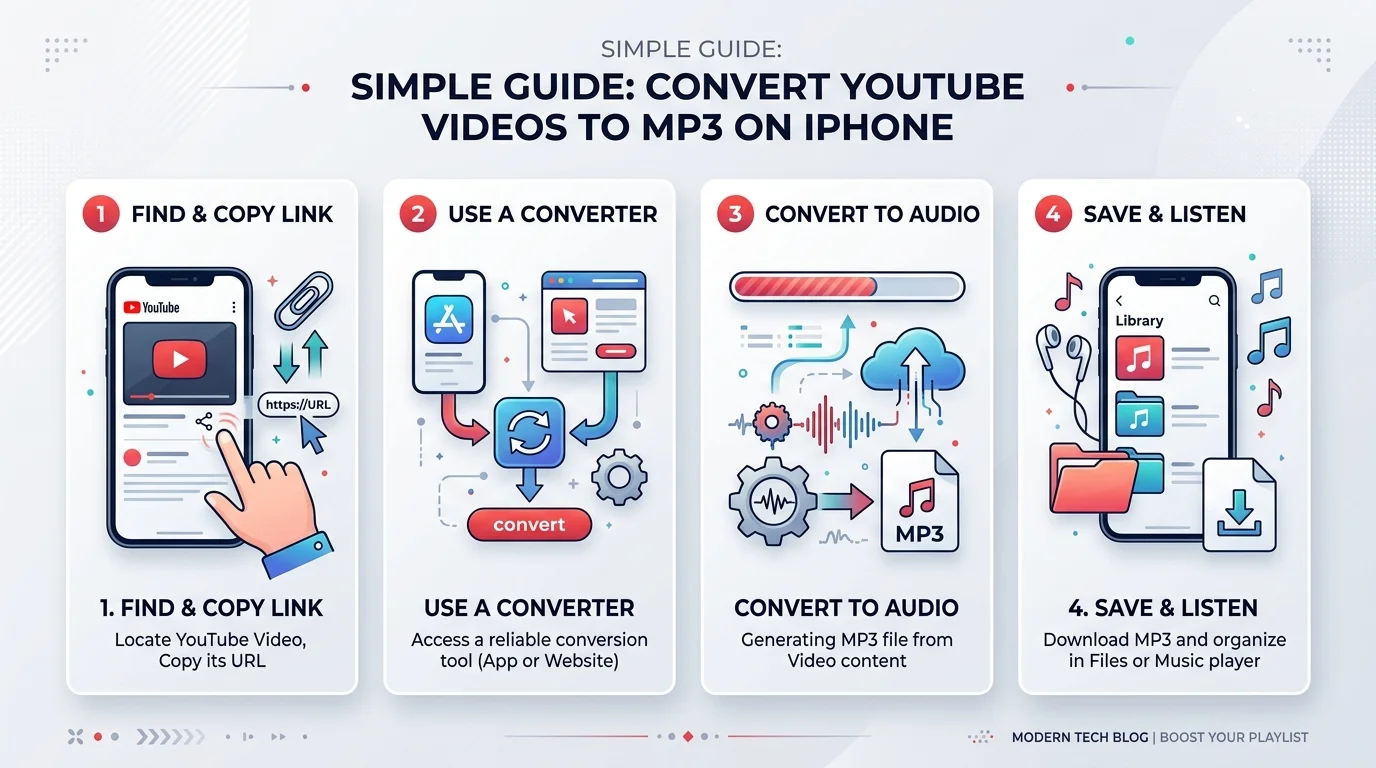
Sometimes the official route doesn't cut it. Maybe you want a real MP3 file, not a locked app-only stream. That's where a YouTube Music to MP3 converter comes in. If you prefer working entirely from your phone's browser, our guide on how to convert YouTube to MP3 on iPhone online covers that exact workflow step by step. Below are five proven methods people actually use in 2026, ranked by how iPhone users typically approach them.
Each method has trade-offs. Some favor speed and quality. Others favor zero cost. Read through all five before picking one, since your best fit depends on how often you download and how much quality matters to you.
Method 1: Desktop Converter Software
Tools like NoteBurner run on Windows or Mac and handle batch download playlists with ease. NoteBurner pulls songs at up to 10x speed, keeps full ID3 tags, and exports at YouTube MP3 320kbps. For more detail on hitting that quality ceiling, see our breakdown of the best 320kbps YouTube converter options. You then use Sync Library inside iTunes or the Music app to push everything onto your iPhone. It is a desktop app option, not browser-based, so it demands install time but rewards you with quality and safety.
Method 2: Online Web-Based Converters
Sites like Ytmp3 and y2down.cc work straight from Safari on your iPhone. Paste a YouTube video URL or link, pick MP3, and download. No install needed. This convert youtube to mp3 online approach is fast and free, though quality caps around 192kbps and ads can get intrusive.
Method 3: iPhone Apps for YouTube to MP3
Apps like TubeMate offer a YouTube to MP4 converter and MP3 option baked into one interface. Some users also explore a YouTube Music APK through ReVanced, though that route requires Android, not iOS. On iPhone, stick to App Store-approved apps for jailbreak-free app installation and fewer security headaches.
Method 4: Telegram Bots
A Telegram bot downloader like @YtbAudioBot accepts a pasted link and replies with an MP3 file. It works on any device running Telegram, including iPhone. Quality varies and metadata often comes incomplete, but it's fast and completely free for casual one-off downloads.
Method 5: iPhone Shortcuts App
The built-in iPhone Shortcuts app can run automations like Yas Download to grab YouTube audio directly on your device. Copy a video link from the YouTube app, run the shortcut, then pick MP3 from the output menu. It feels native since no outside app or website gets involved.
Are Online YouTube to MP3 Converters Safe? Risks to Know
Here's the honest truth. Not every third-party YouTube downloader app or site is trustworthy. Reddit threads are full of stories where people tried a converter and got hit with sketchy redirects. One user described i-y2mate covered in pop-ups so aggressive that Safari flagged the download as harmful.
This is the malware/virus risk nobody warns you about upfront. A safe YouTube converter should never demand app permissions beyond what's needed, and it should never redirect you five times before showing a download button. If a site feels off, trust that instinct. Close the tab and try a different tool instead of risking your data privacy.
YouTube to MP3 Converter Comparison Table (Speed, Quality, Safety, Cost)
Numbers speak louder than opinions. Here's how the top tools stack up side by side, based on real testing across format support, output quality, and overall trustworthiness. For a ranked breakdown beyond this table, our post on the best YouTube to MP3 site picks apart each contender in more depth.
Tool | Type | Formats | Max Quality | Safety | Cost |
|---|---|---|---|---|---|
NoteBurner | Desktop app | MP3, FLAC, WAV, AAC, ALAC, AIFF | 320kbps | Ad-free, safe | Paid (free trial) |
Ytmp3 | Browser-based | MP3, MP4 | 192kbps | Ads present | Free |
Browser-based | MP3, MP4 | Up to 320kbps | Frequent redirects | Free | |
TubeMate | iOS/Android app | MP3, MP4 | 320kbps | In-app purchases | Free with limits |
@YtbAudioBot | Telegram bot | MP3 only | 256kbps | Ad-free | Free |
YouTube Music vs. Apple Music vs. Spotify — Which Is Best for iPhone Users?
Downloading MP3 files is one path. Subscribing to a streaming service is another. This is the classic streaming vs. downloading music debate, and it matters more than people think. Spotify vs Apple Music vs YouTube Music each offer offline modes, but only within their own apps, not as portable MP3 files.
If you already own an iPhone, Apple Music integrates tightest with iTunes and the native Music app. Spotify wins on discovery algorithms and social playlist sharing. YouTube Music shines if you love live performances, remixes, and content that never made it to official streaming catalogs. None of them beat owning your own MP3 library for pure flexibility, though.
Quick Comparison: Library Size, Price, and Offline Features
Apple Music costs $10.99 monthly and boasts around 100 million tracks. Spotify matches that price with a slightly larger catalog and superior recommendation engine. YouTube Music runs the same price point but wins on exclusive live content unavailable elsewhere. All three support offline caching, but none let you export true portable MP3 files without extra tools.
Troubleshooting Common iPhone YouTube-to-MP3 Issues
Downloads don't always go smoothly. A common complaint involves iPhone music not showing in iTunes after a manual transfer. This usually traces back to a broken Sync Library connection or a file format iTunes doesn't recognize properly. If your download won't even start, our dedicated post on YouTube download failed fixes walks through the most common causes.
Another frequent headache: songs downloading as broken links instead of playable files, often showing "Live Broadcast" errors in Safari. This happens when a converter generates a stream URL instead of an actual MP3 file. Switching to a desktop-based YouTube to MP3 converter almost always fixes this, since desktop tools handle metadata and file conversion more reliably than mobile browsers.
Fixing "Music Not Showing in iTunes" and Sync Errors
Start by checking Settings, then Apps, then Music, and confirm Sync Library is toggled on. If songs still don't appear, try transferring through a USB cable directly instead of Wi-Fi. For persistent issues, cloud tools like Dropbox, iCloud, or Google Drive can act as a bridge, moving files onto your iPhone when direct sync keeps failing.
Best Safe & Free YouTube to MP3 Converters for iPhone in 2026 (Recommendations)
If you want our shortlist, NoteBurner tops it for anyone serious about quality and batch conversion. For casual, occasional downloads, Ytmp3 remains reliable despite the ads. Telegram's @YtbAudioBot works well if you just need one quick track without installing anything at all. Budget-conscious readers should also bookmark our roundup of the best free YouTube to MP3 tools currently working.
Paid tools like SYC by Softorino also deserve mention. It handles MP3 player compatibility across devices and sends files directly to your iPhone without extra steps. Whichever tool you choose, always verify MP3 audio quality before committing to a full download, especially for longer playlists where errors compound quickly.
Frequently Asked Questions
Is YouTube to MP3 conversion legal?
Converting for personal use generally falls under fair use in most interpretations. Distributing or selling that content crosses into copyright violation territory, so keep downloads private.
What's the safest YouTube to MP3 converter for iPhone?
Desktop tools like NoteBurner tend to be safer than random browser sites since they don't rely on ad-based revenue models that push aggressive pop-ups onto users.
Can I convert YouTube to MP3 without an app?
Yes. Browser-based converters like Ytmp3 work directly through Safari on your iPhone without any app installation required.
Why isn't my downloaded YouTube MP3 showing in Apple Music?
This usually means your Sync Library setting is off, or the file format wasn't fully compatible. Re-enabling sync or transferring via USB typically resolves it.
Is i-y2mate or similar sites safe to use?
Multiple user reports describe excessive pop-ups and harmful file warnings tied to this site. We recommend avoiding it and choosing a verified alternative instead.
Final Verdict — Which Method Should You Use?
If you value quality and safety above all else, NoteBurner remains the strongest overall pick for youtube to mp3 iphone conversions in 2026. It handles batch download playlists, preserves ID3 tags, and keeps your device free of shady ads or redirects.
Casual users who just want one song right now can lean on Ytmp3 or a Telegram bot downloader for speed. Whatever path you pick, always prioritize a safe YouTube converter over a fast one. For more guides like this one, browse our full blog. Your iPhone, and your peace of mind, will thank you for it.