YouTube Playlist Downloader: Best Free Tools 2026
The best free YouTube playlist downloader is yt-dlp, an open-source command-line tool that saves entire playlists as MP4 or MP3 with no ads or malware. For a graphical alternative, 4K Video Downloader Plus handles playlists, subtitles, and auto-syncing. Legally, downloading is only clearly safe for your own uploads, Creative Commons material, public domain video, or content you have written permission to save — YouTube's Terms of Service otherwise require you to stream through official features.
Now let me be straight with you.
I've spent years archiving online courses, lecture series, and music collections from YouTube. I've tested nearly every YouTube playlist downloader I could find. Most were junk. A few were genuinely brilliant.
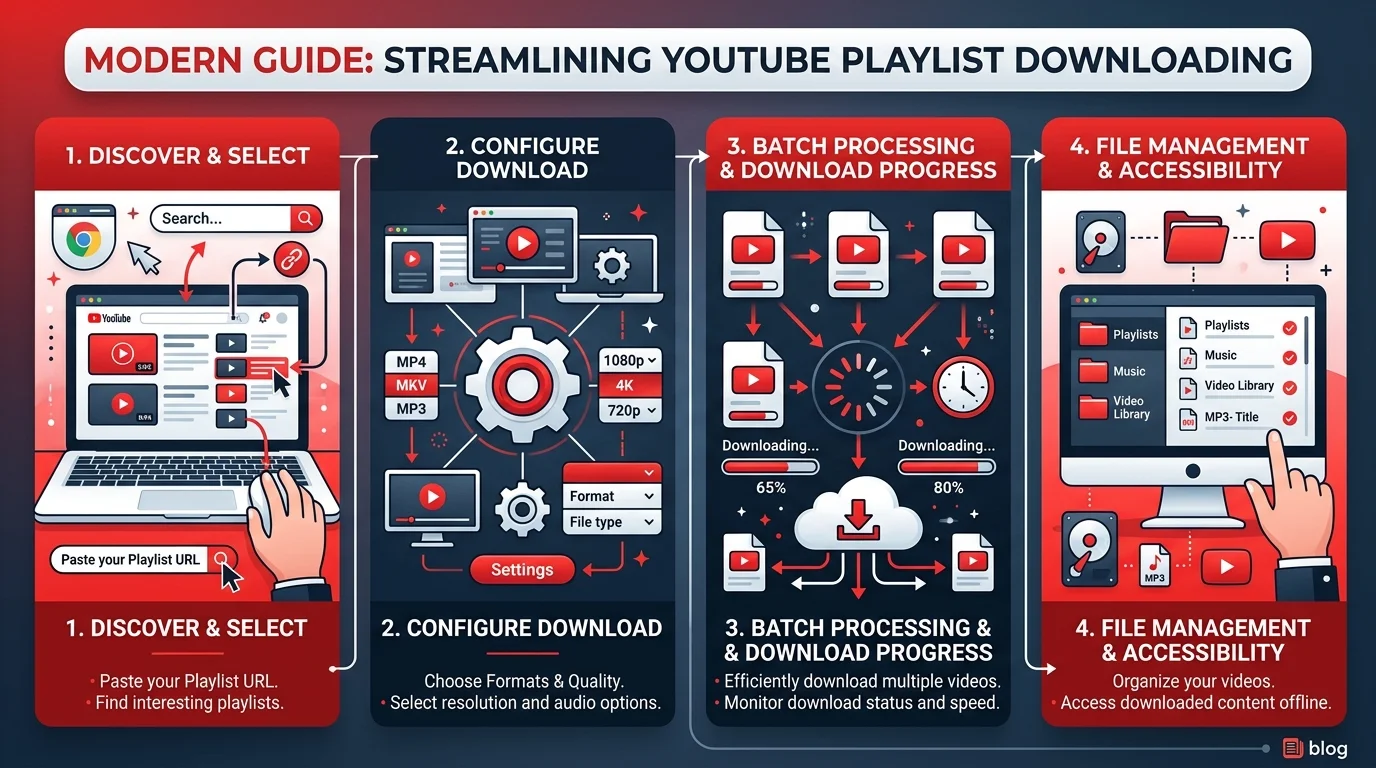
Why You'd Want to Download an Entire YouTube Playlist
Playlists aren't random — they're curated. Someone ordered those videos so they'd make sense in sequence: a coding bootcamp, a guitar course, a podcast archive. Lose one video to a takedown and the whole chain breaks. That's the real reason people search for a playlist downloader. Not piracy, but permanence. Flights, commutes, unreliable Wi-Fi, and content that quietly disappears are the actual pain points I hear about constantly.
And YouTube's own tools only solve half the problem.
With YouTube Premium, you can download videos and playlists to watch offline. Great. But those downloads expire after 29 days — and in some countries after just 48 hours — and you must stay signed in to the same Premium account.
Worse, the files are stored encrypted and only play inside the YouTube app, and it isn't possible to download audio, music, or MP3 files from it.
So it isn't really your file. It's a rental.
That gap is exactly why a dedicated bulk YouTube video downloader exists. If you only need single clips rather than whole playlists, my separate YouTube video downloader guide covers that workflow in detail.
Best YouTube Playlist Downloader: 2026 Comparison Table
Before you install anything, compare your options honestly. I've tested all four of these personally across Windows and Linux, and the differences that matter aren't the ones the marketing pages emphasise. What actually separates them is ad behaviour, whether you get a real file you own, and whether the tool can re-sync a growing playlist without re-downloading everything.
Feature | yt-dlp (free) | 4K Video Downloader Plus (paid) | Free YouTube Playlist Downloader | YouTube Premium |
|---|---|---|---|---|
Price | Free, open source | Paid licence | Free tier | Monthly subscription |
Platforms | Windows, macOS, Linux | Windows, macOS, Linux | Windows, macOS | All devices |
MP3 support | Yes ( | Yes | Yes | No |
Subtitle download | Yes | Yes, all languages | Limited | No |
Auto-sync new videos | Via | Yes, automatic | Skip-existing option | Smart Downloads |
Ads | None | None | Some | None |
You own the file | Yes | Yes | Yes | No — encrypted, expires |
Private playlists | With cookies | Yes, when logged in | No | Yes |
4K Video Downloader Plus saves full playlists in MP4 or MKV, supports subtitles in all available languages, can automatically download new videos as they're added, and is completely ad-free. The free DVDVideoSoft tool is a reasonable no-cost option for Windows and Mac.
Is It Legal to Download YouTube Playlists?
I'm not a lawyer, and this isn't legal advice — but I refuse to write a YouTube playlist downloader guide that dodges this question. Two separate layers matter: platform policy and copyright law. People blend them constantly and end up either paranoid or reckless. Separating them properly genuinely changes which tool you should pick and how you should use it, so spend ninety seconds here before you download anything.
Layer one: YouTube's Terms of Service. YouTube's terms state that users shouldn't download content unless YouTube provides a download feature or the user has explicit permission. That's a contract issue between you and Google — not a crime.
Layer two: copyright and the DMCA. This is where it gets serious.
In early 2026, a federal magistrate judge in California ruled that YouTube's rolling cipher technology qualifies as an access control under the DMCA — even though the underlying videos are freely viewable by anyone. Separately, a federal court in Connecticut dismissed a lawsuit brought by the stream-ripping service Yout, finding the company failed to demonstrate that its software didn't circumvent YouTube's protections.
Translation: the legal wind is blowing hard against stream-ripping services. Fuller breakdowns at LegalClarity and Bridge Legal.
My rule is simple, and I'd urge you to adopt it. Download only:
Your own uploads
Creative Commons licensed material
Public domain video
Content where you hold written permission
If you're mainly after music, I've written a dedicated walkthrough on how to download songs from YouTube legally that goes deeper on licensing than I can here.
Also worth knowing: you can download your own videos from YouTube Studio, but not other users' videos, and you're capped at five downloads of a video per 24 hours.
One Regional Wrinkle Most Guides Miss
Quick aside, because this surprised me. Google confirmed that offline downloads of certain videos have been available to free users in some regions for some time — though those regions don't include the US, UK or Australia, and there are quality limitations. Check your region before paying. TechRadar covered it here.
How to Download a YouTube Playlist to MP3 or MP4 With yt-dlp
If you take one thing from this article, make it this. yt-dlp is the actively maintained open-source fork of youtube-dl, and it's categorically better than every sketchy online playlist converter I've tested. No ads. No popups. No permission traps. It handles batch download jobs of any size, on any desktop OS. Yes, it's command-line — but the learning curve is roughly ten minutes long.
Stick with me.
Step 1 — Install it. Grab it from the official repository or run pip install yt-dlp. Install FFmpeg too, for merging and audio extraction.
Step 2 — Copy your playlist URL. Open the playlist and copy the address containing list=.
Step 3 — Run the core command.
yt-dlp -o "%(playlist)s/%(playlist_index)s - %(title)s.%(ext)s" PLAYLIST_URLThat output template creates a folder named after the playlist and numbers each file by its position in it.
Step 4 — Convert the playlist to MP3.
yt-dlp -x --audio-format mp3 PLAYLIST_URLThis extracts audio and converts it to MP3 — FFmpeg required.
Step 5 — Grab only selected videos. Use -I 2,4:6,-1 to download only the second, fourth through sixth, and last items in a playlist.
Step 6 — Re-run later without duplicates.
yt-dlp --download-archive archive.txt --no-overwrites PLAYLIST_URLIt skips videos already downloaded, storing their IDs in archive.txt. Perfect for growing playlists.
YouTube Playlist Downloader for Android and iPhone
Mobile is where most guides go quiet, so let me fill that gap. The honest answer is that YouTube playlist downloader for PC setups remain far more capable than anything on a phone, largely because iOS and Android both restrict background file writing and app stores reject ripping tools outright. Still, you have workable routes depending on which device you're holding and what you're trying to save.
On Android: Termux lets you install yt-dlp directly, giving you full desktop-grade functionality including 1080p video download and MP3 extraction. It's the only mobile method I'd call genuinely reliable.
On iPhone: There's no clean equivalent. Your practical options are downloading on a desktop and syncing across, or using Premium's built-in offline mode.
For private playlists: yt-dlp supports cookie-based authentication, and 4K Video Downloader Plus can save private playlists you have access to when you're logged into your YouTube account through the app.
The Safety Trap Nobody Warns You About
Read this before you Google "free YouTube playlist downloader online." Random web-based rippers are the single biggest malware vector in this entire category, and their tactics are sneaky rather than obvious. I've watched friends hand over browser permissions without blinking, because the prompt looked routine. It isn't routine. It's the entire scam, dressed up as a security check.
A common trick is a popup asking you to "Allow Notifications" to prove you're not a robot. Clicking Allow grants that site permission to spam your notification centre with ads or fake virus warnings — legitimate tools never ask for this.
Never click Allow. Ever.
Frequently Asked Questions
Below are the questions I get asked most often about downloading an entire YouTube playlist. Each answer is deliberately short so you can act on it immediately rather than wading through another thousand words. If your specific situation isn't covered here, the comparison table above will usually point you toward the right tool within about thirty seconds.
Can I download a whole YouTube playlist at once?
Yes. Paste the playlist URL into yt-dlp or 4K Video Downloader Plus and the tool detects every video automatically, downloading them in playlist order. There's no practical limit on playlist size with either tool.
How do I convert a YouTube playlist to MP3?
Run yt-dlp -x --audio-format mp3 PLAYLIST_URL with FFmpeg installed. Every video converts to MP3 while keeping the original playlist order. Graphical tools like 4K Video Downloader Plus offer the same conversion through a dropdown menu.
Can I download private YouTube playlists?
Yes, if you have access to them. 4K Video Downloader Plus supports private playlists when you're signed into your YouTube account inside the app. yt-dlp achieves the same result using exported browser cookies.
Does YouTube Premium let me download playlists?
Yes, but with real limits. Premium downloads expire after 29 days (48 hours in some regions), stay encrypted inside the YouTube app, and can't be converted to MP3 or moved to another device.
Is yt-dlp safe to use?
yt-dlp is open source, ad-free, and its full code is publicly auditable on GitHub. That transparency is precisely why I recommend it over browser-based converters, which frequently monetise through aggressive advertising and notification spam.
What's the best format for a downloaded playlist?
Choose MP4 for video — it plays on virtually every device. Choose MP3 for music, podcasts, and lectures, since it saves considerable storage. Pick MKV only if you need multiple subtitle or audio tracks in one file.
My Final Recommendation
So where does that leave you?
If you want the safest and most powerful free option: install yt-dlp today. It's open source, respects your privacy, and gives you real files you actually own.
If you'd rather click than type: buy 4K Video Downloader Plus. The ad-free interface and automatic playlist syncing genuinely justify the licence fee if you're archiving seriously.
Either way, restrict your downloads to content you own or have permission to save. Do that, and you'll build an offline library that never expires, never buffers, and never disappears.
Now go grab that playlist. 🎬