YouTube Downloader HD Guide: Safe, Legal & Best Tools (2026)
Quick answer: A YouTube downloader HD is a tool — browser-based, desktop, or command-line — that saves YouTube videos in high resolution (1080p, 4K, or higher) for offline viewing. The safest approach combines a reputable tool (like yt-dlp or 4K Video Downloader Plus), awareness of YouTube's Terms of Service, and basic malware precautions, since fake download sites are a documented security risk.
Okay, now let's actually dig in together.
You typed "youtube downloader hd" into Google because you want to save a video — maybe a tutorial, maybe a lecture, maybe your own content — and watch it later without burning through your data plan.
I get it. I've been there.
But here's the thing nobody tells you upfront: this space is a minefield of fake buttons, bloated installers, and "free 4K" claims that are actually just upscaled 1080p. So I did the deep-dive research so you don't have to.
Let's break this down together, step by step.
What "YouTube Downloader HD" Actually Means in 2026
Quick clarification before we go further, because this trips people up constantly.
"Youtube Downloader HD" started life as an actual Windows freeware app — a small ~38MB tool that let you save videos and convert them to AVI or MP4. Nostalgic, sure. But the ecosystem has moved on hard since then.
Today, when someone searches this phrase, they're usually looking for the category — any tool that pulls high-definition YouTube video off the platform. That includes:
Browser-based paste-link converters
Desktop GUI downloader apps
Command-line tools for the technically inclined
And honestly? The tool landscape has completely reshuffled. AlternativeTo now lists yt-dlp as the top-rated alternative to the original app — free, open-source, and actively maintained. That's a signal worth paying attention to. If you want the fuller rundown of general options, check out our YouTube video downloader guide too.
Is Downloading YouTube Videos Even Legal? (Let's Not Skip This)
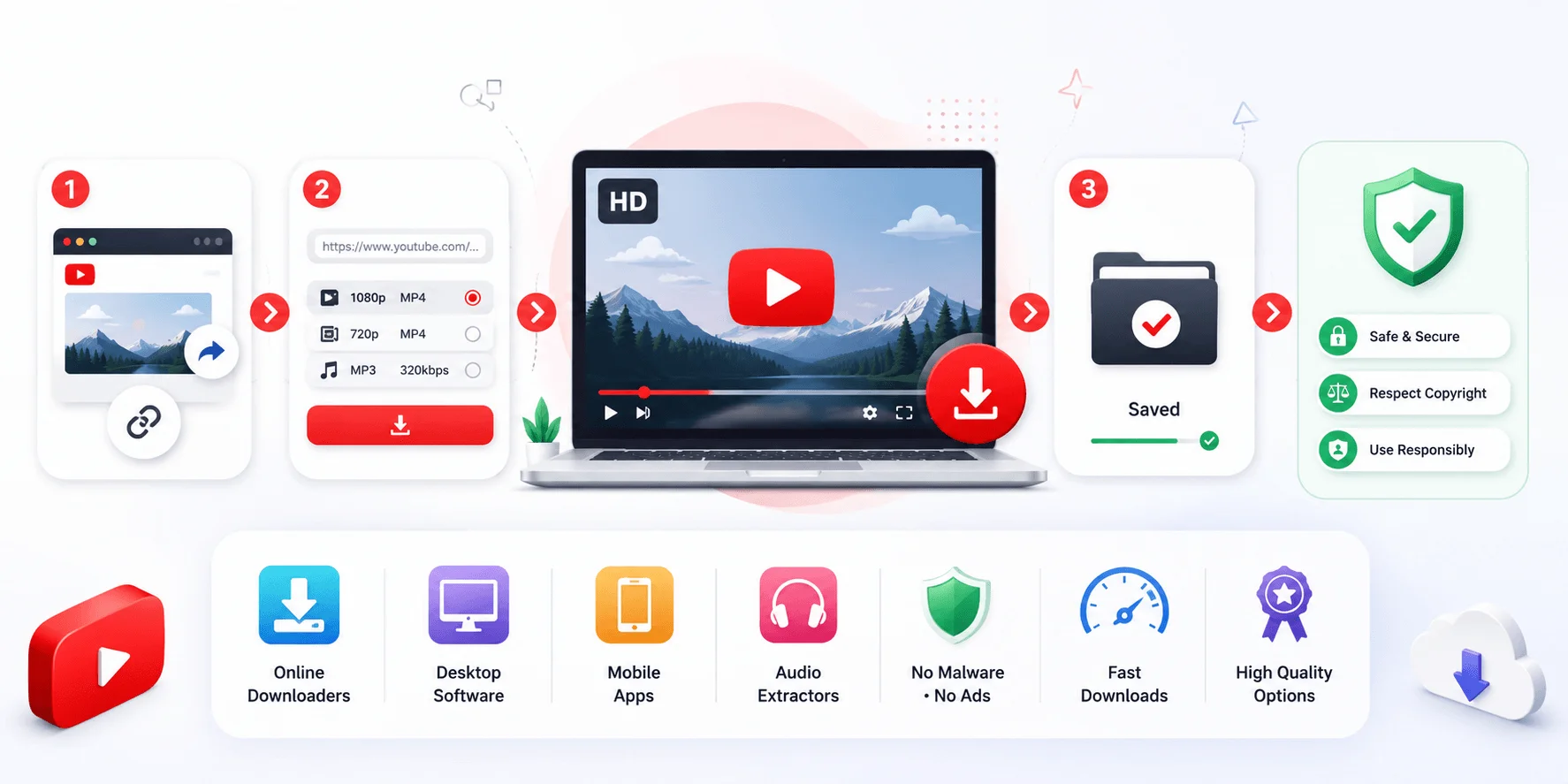
I know, I know. You want to jump straight to the "how." But skipping this part would be doing you a disservice.
Here's the blunt truth: YouTube's Terms of Service state that content may not be downloaded or copied unless YouTube itself provides a download button. Full stop.
And legally? It's murkier than most sites admit. LegalClarity's breakdown is refreshingly honest — downloading without permission from the copyright holder is illegal in most situations under federal copyright law, and it breaks YouTube's own rules regardless of intent.
But — and this matters — the realistic risk for a single personal-use download is low. The bigger danger, as we'll get to, isn't a lawsuit. It's what's hiding inside the download button you're about to click.
The Legal Green Zones (Use These When You Can)
You've actually got a few genuinely safe paths here:
Creative Commons-licensed videos — filter for these directly in YouTube search
Public domain content — old, expired-copyright material
Your own uploaded videos — obviously fine
YouTube Premium's built-in offline download feature — the only fully official route
If your video falls into one of these, you're golden. If not, keep reading, because I want you protected either way.
The Malware Problem Nobody Warns You About
This is the section I really want you to sit with.
Security researchers at AhnLab uncovered a malware campaign using fake YouTube download sites that look completely legitimate — but actually distribute proxyware that quietly steals your bandwidth for profit. Sneaky, right?
It gets worse. An academic study on arXiv built a monitoring system called VIPER and tracked over 14,000 malicious "MalTube" instances across 1,269 unique domains in just four months. That's not a small problem — that's an entire underground economy.
So how do you actually protect yourself? Here's my step-by-step:
Step 1: Never click a download button that requires you to "Allow Notifications" first — that's a classic bait tactic.
Step 2: Avoid sites stacked with five different "Download Now" buttons — usually only one is real.
Step 3: Run any suspicious file through VirusTotal before opening it.
Step 4: Stick to tools with active development, transparent pricing, and no forced bundled installers.
Step 5: If your antivirus flags an installer, trust it. Cancel, delete, move on.
If a download does go wrong mid-process, that's usually a separate (and much more common) headache — see our guide on fixing YouTube download failures for that.
Comparing Your Real Options (No Hype, Just Facts)
Alright, let's actually compare what's out there — because "best" really depends on you. Independent 90-day testing found meaningful differences even between top-rated tools: SnapDownloader completed 244 of 247 download attempts (98.8% success), compared to 98.2% for yt-dlp — a near-tie, but worth knowing.
Here's how the main categories stack up side by side:
Tool Type | Example | Free Tier | Max Quality | Best For |
|---|---|---|---|---|
Browser-based | Y2Mate, TubePull | Limited daily downloads | 1080p free / 4K paid | Quick, no-install downloads |
Desktop GUI | 4K Video Downloader Plus | Fully free tier | Up to 8K | Playlists, channels, regular use |
Desktop GUI | JDownloader 2 | Free | Varies by source | Managing links from many sources |
Command-line | yt-dlp | Free, open-source | Up to source max | Power users, automation, no bundled software |
Browser-Based Tools
These win on convenience. No install, works cross-device, done in seconds. The trade-off? Most cap your free downloads and gate 4K resolution behind a paywall. If you're weighing specific browser tools against each other, our YTClipTune vs. Y2Mate comparison breaks down exactly where they differ.
Desktop GUI Applications
If you're downloading playlists or entire channels regularly, a dedicated app makes more sense. Reviews consistently point to 4K Video Downloader Plus as a strong all-rounder for ease of use, while JDownloader 2 shines when you're managing links from multiple different sources at once.
Command-Line Tools (yt-dlp)
This is the power-user's pick. yt-dlp is described as the most actively maintained YouTube downloader available in 2026, a direct fork of the now-discontinued youtube-dl project. It's not pretty, and there's no GUI — but it's fast, free, and incredibly flexible.
Community sentiment backs this up too. On Reddit, yt-dlp is repeatedly named the top pick for being open-source and reliable, while 4K Video Downloader gets the nod from folks who just want a clean visual interface.
Bottom line? There isn't one universal "best." If you want zero setup, go browser-based. If you download often, a desktop video downloader earns its keep. If you're comfortable with a terminal, yt-dlp gives you the most control, period.
Watch Out for These Common Traps
The "Fake 4K" Trick
Quick gut-check before you wrap up: not every "4K" label is real.
Some tools tag a 1080p file as "4K Ultra HD" in the filename without delivering actual 3840×2160 resolution. If the original YouTube upload only exists in 1080p, no downloader can conjure real 4K detail out of thin air — it can only upscale, which isn't the same thing.
Always check the source video's available resolutions first. That way, you know exactly what you're actually getting. If 1080p is genuinely all you need, our dedicated YouTube downloader 1080p guide walks through getting clean Full HD without paying for 4K you can't actually use.
The MP3 Bitrate Lie
Same story on the audio side. Plenty of sites advertise "320kbps MP3" downloads, but YouTube's own audio typically tops out around 256kbps AAC. When a converter claims 320kbps, it's usually just repackaging that same 256kbps stream into a bigger container — same quality, bigger file. Don't pay extra chasing a number that isn't real. For a deeper look at which sites are actually honest about this, see our best YouTube to MP3 site comparison.
Missing Extras Worth Knowing About
A few related capabilities that don't get enough attention:
Subtitle downloads — many tools (including yt-dlp) let you grab subtitle files (SRT/VTT) alongside the video, handy for transcripts or translation.
Playlist and channel downloads — some downloaders can batch-save an entire playlist or channel in one go rather than one video at a time.
Format flexibility — beyond MP4/MP3, options like WEBM, WAV, and M4A exist depending on what you actually need the file for.
Frequently Asked Questions
Is it illegal to download YouTube videos for personal use?
It technically violates YouTube's Terms of Service, and copyright law generally doesn't carve out a broad personal-use exception. That said, the realistic enforcement risk for a single personal download is low — the bigger real-world risk is the security threat from fake download sites, not legal action.
What's the difference between yt-dlp and youtube-dl?
yt-dlp is a more actively maintained fork of the original youtube-dl project, with faster updates, broader site support, and extra features like subtitle handling and format selection.
Can I really get 4K, or are sites faking the resolution?
Only if the original YouTube upload actually contains a 4K (2160p) stream. If the creator only uploaded in 1080p, no downloader tool can generate genuine 4K detail — it can only upscale, which looks different from a true 4K source.
Is YouTube-to-MP3 conversion legal?
Same legal framework applies as video downloads — it depends on the content's copyright status and license, not the file format.
How do I avoid malware when downloading YouTube videos?
Stick to well-known, actively maintained tools, avoid sites with multiple "Download Now" buttons, never click "Allow Notifications" prompts, and scan installers with VirusTotal before running them.
Which tool has no ads or bundled software?
This varies by tool and changes often, so check current reviews before downloading — but open-source, command-line tools like yt-dlp generally avoid bundled installers since there's no GUI installer to bundle anything into.
Your Quick-Start Checklist
Let's tie this together simply:
Check if your video is Creative Commons or public domain first
Pick your tool type — browser, desktop, or command-line — based on how often you'll use it
Avoid sites with multiple fake download buttons or notification pop-ups
Scan anything you download before opening it
Confirm real resolution before trusting a "4K" or "HD video download" label
That's genuinely it. No gimmicks, no shady shortcuts — just an informed choice that fits how you actually use YouTube content.
If there's one thing I want you to walk away with, it's this: the safest download is the one you made with your eyes open. Choose the tool that matches your actual habits, respect the legal boundaries where they exist, and you'll avoid 95% of the headaches this niche is famous for.