YouTube Shorts to MP3 Converter: Free, Fast & Safe
Short clips move fast, and so does the sound inside them. If a YouTube Shorts video has a song, a voice line, or a sound bite you want to keep, you don't need the video at all. You just need the audio. That's where a simple YouTube Shorts to MP3 downloader comes in handy, pulling the sound out and saving it as a clean MP3 file. No editing skills required. No app to install. Just a link, a click, and a file ready for offline listening wherever you go, from your morning commute to a flight with no signal at all.
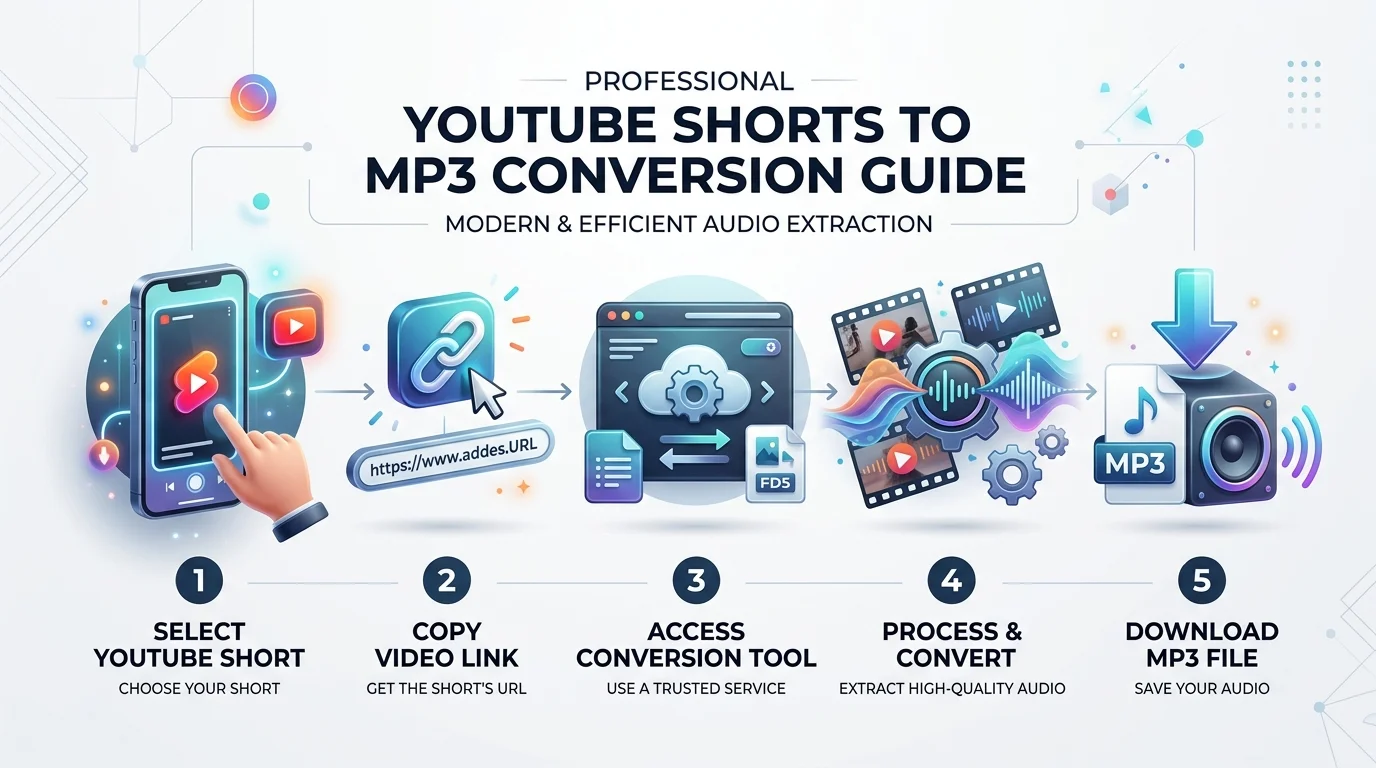
How to Convert YouTube Shorts to MP3
Converting a clip does not need to be hard. In fact, this YouTube Shorts downloader was built so anyone could use it in under a minute. You don't need to be tech-savvy. You just need a link and a few clicks.
This process works the same way on a phone, a laptop, or a tablet. It's a true browser-based tool, so there's nothing to install. Let's walk through the three simple steps below. You can also check this full guide on how to download YouTube Shorts for extra tips.
Copy the Shorts Link
First, open the YouTube app or website. Find the Shorts video you like. Tap the Share button, then choose Copy Link. On desktop, you can just grab the URL straight from your browser's address bar.
This is the same first step whether you're on Chrome, Safari, or Edge. The link is your ticket to the conversion tool, so make sure you copy the full URL.
Paste & Convert
Next, head back to our YouTube to MP3 converter page. Paste the link into the search box. Then pick your format. Choose MP3 for audio only, or MP4 if you want to keep the video too.
You can also choose your preferred bitrate here. Options usually range from 128kbps up to 320kbps. Higher numbers mean better sound quality, which we'll explain more later.
Download Your MP3
Finally, hit the Convert button. Within seconds, your file will be ready. Click download, and the MP3 will save straight to your device. That's it. No waiting rooms, no surprise charges, no hidden steps.
Once downloaded, the file works like any other MP3. You can play it in a music app, transfer it to another device, or add it to a personal playlist for offline listening.
Why Choose Our YouTube Shorts to MP3 Converter
There are dozens of tools out there. Some, like AnyUkit or CnvMP3, focus on the wider YouTube-to-MP3 space. Others, like TurboScribe, handle transcription instead of conversion. So why pick this one for Shorts specifically?
The answer comes down to three things: cost, convenience, and safety. This tool was designed around what regular users actually want. Not flashy extras. Just a clean, reliable free MP3 downloader that respects your time. If you want to compare the wider category first, this breakdown of the best YouTube to MP3 site options is a good starting point.
100% Free, No Hidden Charges
There is no subscription here. There is no premium tier hiding behind a paywall. Every feature, including higher bitrate downloads, is completely free to use.
Many converters lure you in with a free plan, then lock the good stuff behind a payment screen. This one doesn't do that. You get full access, every single time, at no cost.
No Signup or Registration Required
You won't need to create an account. You won't need to hand over an email address either. Just paste your link and go.
This matters more than people think. Every account you create is another password to remember, and another place your data can leak. Skipping registration keeps things simple and keeps your information private.
Ad-Free & Safe Downloads
Nobody enjoys clicking a download button only to get five pop-up ads instead. This converter is a genuinely ad-free converter, meaning there are no sneaky redirects or fake buttons to dodge.
Every file passes through safe and secure download channels. There's no bundled software, no browser hijacking, and no strange toolbars installed behind your back.
Key Features
Beyond the basics, this tool comes packed with features that actually make a difference. Whether you care about sound quality, speed, or simply getting things done on the go, there's something built for you here.
Let's break down what makes this YouTube Shorts to MP3 tool stand out from the crowd.
High-Quality Audio (Up to 320kbps)
Bitrate is just a number that tells you how much audio detail is packed into each second of sound. A 128kbps file is fine for casual listening. But a 320kbps file sounds noticeably richer, especially through headphones or good speakers. Our full 320kbps YouTube converter guide explains this in more depth if you want to dig further.
Think of it like photo resolution. A low-resolution photo still shows the picture, but a high-resolution one shows every little detail. The same idea applies to audio compression and sound quality in MP3 files.
Bitrate | Sound Quality | Best For |
|---|---|---|
128kbps | Good | Casual listening, saving space |
192kbps | Better | Everyday music playback |
320kbps | Best | Headphones, high-quality audio storage |
Fast Conversion Speed
Shorts are, well, short. Most clips run under sixty seconds. Because of that, this tool offers genuinely fast conversion speed, often finishing the job in just a few seconds.
There's no long queue and no waiting around. Paste the link, click convert, and your MP3 is ready before you've even put your phone back down.
Works on Any Device (Mobile, Desktop, Tablet)
This is a mobile-friendly converter through and through. It offers high compatibility across Windows, Mac, Android, and iPhone devices, all without needing a separate app. If you're on iOS specifically, this guide to YouTube to MP3 on iPhone walks through a few extra tips.
Everything runs directly through your browser. Whether you're using Chrome on a laptop or Safari on an iPhone, the experience stays smooth and consistent.
YouTube Shorts to MP3 vs MP4 – What's the Difference
This question comes up a lot, and it's a fair one. Both formats let you save content from YouTube Shorts, but they serve very different purposes. Picking the wrong one can leave you with a file you don't actually need.
MP3 format stores audio only. MP4 format stores both video and sound together. If you just want to hear a song or a voice clip, MP3 is smaller and simpler. If you want to rewatch the whole video, MP4 is the way to go.
Feature | MP3 | MP4 |
|---|---|---|
Contains | Audio only | Video and audio |
File size | Small | Larger |
Best use | Music, podcasts, voice clips | Rewatching full clips |
Playback | Any music player or phone | Any video player |
So, which should you choose? If you're building a workout playlist from Shorts audio, go with MP3. If you're saving a clip to show a friend later, YouTube Shorts to MP4 is the smarter pick.
Is It Legal and Safe to Convert YouTube Shorts to MP3?
This is probably the most important question on this whole page, and it deserves an honest answer. The short version is this: converting for personal use is generally accepted, but redistributing someone else's content is not.
Let's break this down a little further, since copyright rules can feel confusing.
Copyright Considerations
Every video on YouTube, including every Short, belongs to its creator. Downloading a copy for yourself doesn't transfer that ownership. It simply gives you a personal copy to enjoy when you're offline.
Reposting that audio publicly, using it commercially, or claiming it as your own work crosses into copyright territory. That applies no matter which converter you use, whether it's this one, CnvMP3, or anything else.
Personal Use Guidelines
Sticking to royalty-free habits keeps things simple. Good personal use includes saving your own uploaded content, keeping a private backup of a clip, or listening to music offline during a flight.
As one long-time podcast editor put it during an industry interview: "The rule of thumb I follow is simple. If I wouldn't feel right showing it to the original creator, I probably shouldn't be doing it." That mindset works well here too.
Supported Devices and Browsers
Compatibility shouldn't be a guessing game. This tool was built to work smoothly across the devices people actually use every day, without forcing anyone to download extra software.
On the operating system side, it supports Windows, Mac, Android, and iPhone. On the browser side, it runs cleanly on Chrome, Safari, and Edge. There's no plugin required and no browser extension needed to get started. Just open your browser of choice, paste the link, and convert. For a broader look at general downloads, see this guide on how to save YouTube videos.
Other Platforms We Support
While this page focuses on YouTube Shorts, the same core idea, video-to-audio extraction, works across other platforms too. Short-form video content has exploded across the internet, and Shorts is just one part of that picture. This same concept is explored further in our piece on how to pull audio from a YouTube video.
If you're looking to save clips from other places, this same technology also powers a TikTok downloader, an Instagram Reels converter, and a Twitter video downloader. Each one works as its own dedicated social media video downloader, so check those out through the links on this site if you need them.
Frequently Asked Questions
Here are quick answers to the questions people ask most often about converting YouTube Shorts to MP3.
Is this YouTube Shorts to MP3 converter free?
Yes. It is completely free to use, with no hidden fees and no premium plan required for full access.
What's the maximum length I can convert?
Since Shorts videos are capped at three minutes by YouTube itself, length is rarely an issue. The converter comfortably handles any Shorts clip you throw at it.
Can I convert YouTube Shorts on my iPhone/Android?
Absolutely. The tool is fully mobile-friendly and works the same way on both iPhone and Android devices through your regular browser.
Do I need to install software or an app?
No. This is a browser-based online tool. Everything happens on the webpage itself, so there's nothing to download or install.
Is my data safe when I use this converter?
Yes. Data privacy and user security are treated seriously here. No account is required, and no personal information is collected during the process.
Start Converting Your YouTube Shorts Now
There's no reason to keep struggling with clunky, ad-filled converters. This tool gives you a fast, free, and genuinely safe way to turn any Shorts clip into a ready-to-play MP3.
Just copy your link, paste it in, and click convert. It really is that simple. Give it a try, and see why so many users leave 5-star ratings and glowing user reviews after their first download. For more general tips, browse our full YouTube to MP3 converter resource hub.
Read More: YouTube to MP3 Converter: Fast, Safe Audio Download